
All articles
We built an AI chatbot we trust. Here's what that looks like.
We didn't write about our AI chatbot until we were genuinely proud of it. Here's why we think it's worth your attention.
Published
Category
I'll be upfront: we (mostly) love AI at KnowledgeOwl. Not in a "slap it on everything and call it innovation" way, but in a truly useful, makes-our-work-better way. Tools like Claude Code have transformed how we help customers with CSS and HTML customizations. Things that used to eat hours now get solved in minutes, which means we can do more for the people we work with. That's the kind of AI adoption I can get behind.
But I'm also a writer at heart, as are most of us here at KO. We're the kind of people who notice when something sounds off, which means we've always had a clear-eyed view of where AI genuinely shines, and where it doesn't.
Hallucinations and word salad are the obvious and ubiquitous examples of AI's downsides. An AI that fills knowledge gaps with confident, plausible-sounding fiction isn't a helpful tool, it's a liability. Especially in a knowledge base where people come specifically because they need accurate answers.
So when we built our AI chatbot, the guiding question was never "how spectacular can we make this?" It was "how helpful and reliably can we make this?" Those are different goals, and they lead to different decisions.
Why ours is different
The core thing that makes our AI chatbot trustworthy is also the simplest thing to explain: it only knows what your knowledge base knows.
There's no reaching outside your content, no filling gaps with guesses. If someone asks your chatbot a question that isn't covered in your knowledge base, it will say it doesn't know. Ask it something that doesn't have an answer within your content, and it'll politely tell you that's outside what it can help with. And it links directly to the articles/sources it used to form its answers, so readers can always verify and dig deeper.
You also have control over who can access it. You can restrict it to certain reader groups, or limit it to authors only.
We use it ourselves
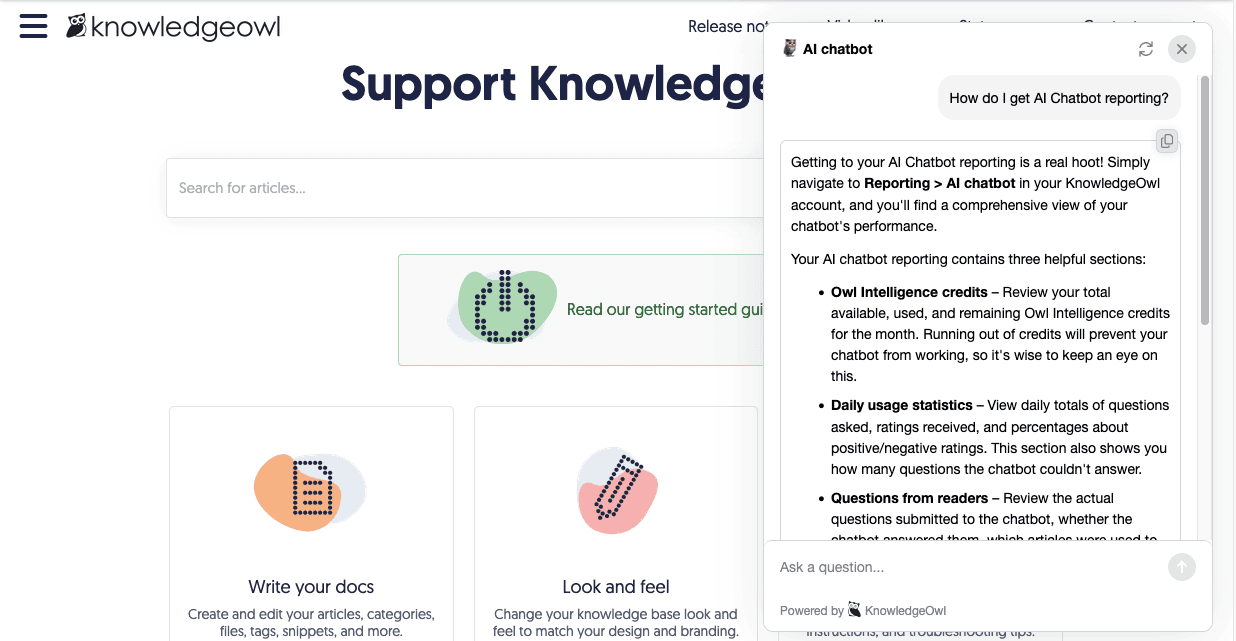
We didn't build this and move on. Our AI chatbot lives in our own Support Knowledge Base, and it's become a real part of how our team works.
Our documentation specialist Kate has gotten a lot out of it, though maybe not for the most obvious reason. Beyond helping surface answers for customers, what she finds most valuable is what the chatbot reporting tells her.
"It is a treasure trove of seeing the language our readers actually use when they ask questions," she explains. "It's helped me identify content gaps, like when someone asks a question and I realize we genuinely don't have a good article to address it."
The distinction she draws is a good one: keyword search shows you what people think they should type. Semantic search shows you what they actually want to know. That's genuinely useful signal if you care about your content doing its job, and it doesn't require interviewing customers or installing a creepy session tracking tool.
What our customers are saying
We also wanted to see how customers felt about it before writing this post. The feedback has been one of the most rewarding parts of this whole thing.
We've had loads of different customers tell us what a game-changer it's been for their Support teams; deflecting tickets, surfacing hidden answers, and summarizing detailed docs in ways that are easier to digest.
One of my favourite moments was a voicemail we received from Charles at FAC Services. He'd just finished demoing the chatbot to his executive leadership team and wanted to call us personally to share how it went. "I can't overstate how impressive and overwhelming the positive response was," he told us. That kind of feedback is exactly what keeps us going.
It keeps getting better
Since launch, we've added reader group restrictions, source-linking on answers, and a flexible credits model among other improvements. All plans include AI credits, and if you need more, you can purchase them separately. We're continuing to improve it, and conversations with customers like Charles really do shape where we take it next.
If you haven't turned on your AI chatbot yet, I'd really encourage you to give it a try. If you don't see it in your account, please reach out so we can add it for you. We built it to be helpful, and I think that shows.
p.s. When I checked in with Charles if he was comfortable with me quoting his voicemail, he not only gave me permission, but he also gave us this absolute gift:
"I asked AI to make an image to represent my experience with the AI chatbot. Do with it what you will…"
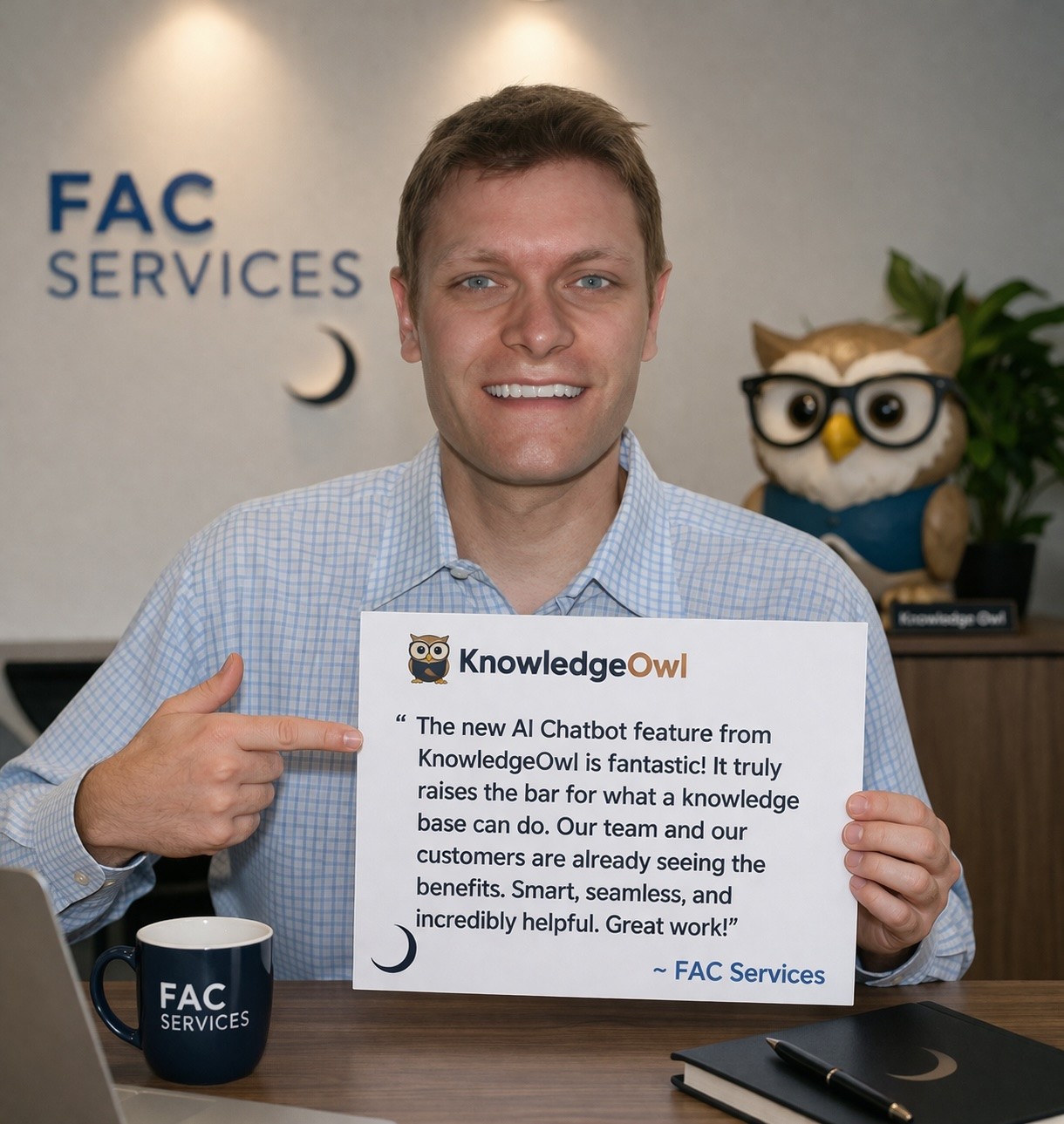
Thank you, Charles! You truly are the best!


Follow these 3 steps to improve your knowledge base
1
Get expert tips every month in your inbox
No spam, pinky promise.


2
Try the knowledge base software your team will fall in love with
Reduce tickets, make information easy to find.
Happier employees, happier customers.

3
Become the tech writer everyone respects
Check out our podcast, The Not-Boring Tech Writer.

How teams are using KnowledgeOwl
Loved by 3,200+ knowledge base authors in software companies around the world


























