
All articles
The 12 best knowledge base software solutions for 2026
Compare the best knowledge base software solutions for your team's needs. A guide through the forest of options to find your best fit among the leading platforms, with expert recommendations and key features.
Published
Category

Quick answer: Best knowledge base software picks for 2026
After years in the knowledge base industry, here are our top recommendations:
KnowledgeOwl - Best for teams needing a powerful, easy-to-use help center
Document360 - Best for teams wanting cutting-edge features and fast updates
Helpjuice - Best for teams wanting flat-rate pricing
Heroic knowledge base - Best for Wordpress users
Zendesk Guide - Best for teams already using Zendesk Suite
Stonly - Best for customer service teams needing agentic AI and interactive step-by-step guides
Notion - Best for small teams wanting an all-in-one workspace
Confluence - Best for software teams needing project management integration
Guru - Best for internal knowledge with universal search
Slite - Best for internal knowledge that stays accurate on its own
Help Scout - Best for small to mid-sized teams on a budget
Featurebase - SaaS teams that want their knowledge base tightly connected to product feedback
At KnowledgeOwl, we know that picking the best knowledge base software in a sea of options and review sites is overwhelming. You're drowning in choices, comparison charts, and feature lists, but you just need to know: which one will actually work for my team?
Your knowledge base is where you gather and store all of your collective product wisdom. It's the foundation that provides the structure, organization, and tools to keep your content useful, navigable, and up to date.
Here's the thing: not every solution is right for every team. What works brilliantly for a 10-person non-profit organization might be completely wrong for a 10,000-person software enterprise. Each company has unique needs that determine the best fit.
We've created this guide to make finding that perfect solution easier—helping you scope out what you need while giving you real insights on the best tools available today.
Our perspective on this list
Full transparency: We build and use KnowledgeOwl every day, so we know our own product deeply. For the other tools in this guide, our insights come from:
Customer conversations - We regularly talk with customers who've evaluated or switched from other platforms, which gives us real-world insights into what works and what doesn't.
Market research - We closely follow competitor features, pricing, and customer reviews to understand the landscape.
Industry experience - After years in the knowledge base space, we've seen which features actually matter versus which ones just looks good in marketing materials.
Hands-on exploration - We've explored competitor interfaces, documentation, and public knowledge bases to understand their approach. We've also used them in previous roles, and explored recent trials with these tools.
This guide reflects that accumulated knowledge. We'll be honest about what we know well (especially KnowledgeOwl), what we've learned from customers, and where each tool fits best.
Before you start: 3 key questions
Before diving into software demos, answer these three questions to save hours of wasted time:
1. Who will be your authors?
Will you have a dedicated documentation team? A single knowledge manager? Or will your knowledge base be built by multiple people in their spare time (like support agents writing between tickets)?
This matters because some tools excel at collaborative, wiki-style creation (like Guru or Notion), while others are designed as single-source-of-truth systems with more editorial control (like KnowledgeOwl or Document360).
2. Who is your audience?
Are you creating this for employees or customers? Are they technical users who need code samples and API documentation, or non-technical end users?
Some tools offer solutions for both internal and external audiences (like KnowledgeOwl), while many cater specifically to one or the other. Technical audiences require specialized features like syntax highlighting and API documentation tools.
3. Which features are most important?
Once you understand your authors and audience, you can identify must-have features. But if you're not sure yet, that's okay—reviewing a few tools in your category will help clarify what matters.
Consider making three lists:
Must-haves - Deal-breakers if missing
Nice-to-haves - Would improve your workflow
Must-not-haves - Features or other things you actively want to avoid
Need help identifying common features? Check out our guide to common knowledge base software features.
The best knowledge base software solutions
We've organized these by primary audience and use case. For each tool, we'll share what we know from our experience in the market, customer feedback, and who it's best for.
1. KnowledgeOwl
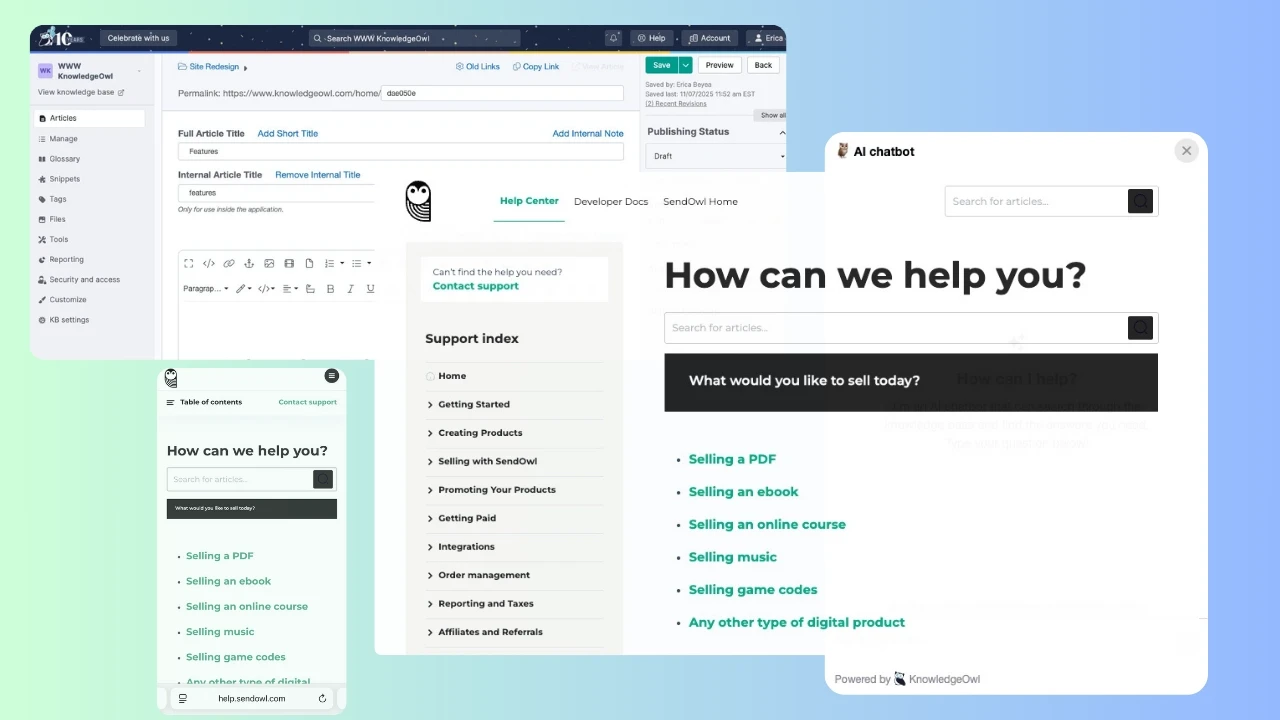
What it is: Standalone knowledge base platform with plans for small, medium, and enterprise companies.
Best for: Teams of all sizes who need a powerful help center that's quick to set up and easy to manage.
What we know:
We use our own platform every day (yes, we drink our own champagne), and what consistently stands out when customers talk about their experience is KnowledgeOwl's breadth of thoughtful features for both authors and readers.
The Glossary tool is unique in the market—you can define organization-specific terms once, and they automatically appear as tooltips throughout your articles. Customers tell us this eliminates the need to explain acronyms repeatedly in technical documentation.
AI-powered features for authors:
KnowledgeOwl's AI capabilities help authors create better content faster:
AI article creation - Generate article drafts from prompts. Define tone, key purpose, and more.
Style guide - Set your organization's writing standards and AI can ensure they're enforced as content is created.
Meta description generation - Automatically create SEO-optimized meta descriptions for articles. No more summarizing what you just wrote.
AI-powered features for readers:
Your audience benefits from intelligent search and support:
Semantic search - Can understand intent, not just keywords. When readers search for "reset my password," they'll find articles about "password recovery" and "login issues."
AI chatbot - Conversational interface that helps readers easily find answers using natural language.
Contextual results - Search that understands synonyms, typos, and related concepts.
Owl Analytics:
One feature that consistently surprises new customers is Owl Analytics—our built-in analytics suite that goes far beyond basic page views. You can track:
Detailed search analytics (what people searched for, what they clicked, what returned zero results)
Full user journeys
Entry/exit pages, bounce rates, and other actionable insights
Time on page and other engagement metrics
Most knowledge base tools require integrating Google Analytics or other third-party tools. Owl Analytics gives you everything you need right in the platform, with data that's specifically designed for knowledge base insights.
Version control and comparison:
Recent revisions automatically preserves the last 10 saves of an article, shows you specifically what changed between saves, and allows you to revert to previous saves.
Versioning lets you keep an easy-to-follow audit trail of previously published versions of your article. You can stage new versions ahead of time and publish when your products changes are released.
When multiple authors work on content, customers tell us these feature become essential.
The article editor strikes a balance between simplicity and power. You can embed videos, GIFs, PDFs, and interactive content without touching code. Role-based content access is seamless, allowing you to fully control who can see what in your knowledge base. With more than 70+ permission options, you can decide exactly what your authors can/cannot do within your docs.
Key features:
Powerful search and flexible information architecture
AI-powered content creation and SEO optimization
Semantic search and AI chatbot for readers
Robust analytics for actionable insights
Granular access controls
Versioning and recent revisions
Instant article feedback collection
Bulk actions for managing large content libraries
Highly customizable design and branding
API for integrating with any app
Glossary tool with automatic tooltips
Pricing: Starts at $100/month
Real customer feedback:
"We began the migration of our entire knowledge base to KnowledgeOwl in 2022, and had an amazing experience. Their support is unmatched, as proven by the detailed help we got for the transfer of our content and design. They went above and beyond to make sure our transition was as smooth as possible. Since our move, we've received compliments from our clients and employees about all the positive changes in the search and usability." - G2 Review
What could be better: While KnowledgeOwl handles both internal and external documentation well, teams looking for wiki-style collaborative editing with real-time co-authoring might prefer tools like Notion or Guru.
2. Document360
What it is: Standalone knowledge base platform designed for technical documentation, API docs, and user manuals
Best for: Teams wanting cutting-edge features and rapid product development
What we know:
Document360 is known for their rapid feature releases and polished interface. Customers who've evaluated both platforms often mention their personalized dashboard for authors that shows recent articles, pending tasks, and content that needs review.
The Category Manager is a standout organizational feature, providing a visual tree view of your entire content structure with drag-and-drop reorganization.
Their widget has extensive customization options. For teams that need deep widget customization for embedded help, Document360 delivers.
Where Document360 shines:
Fast product development and feature releases
Polished, modern interface
Advanced widget customization options
Both Markdown and WYSIWYG editors
Strong API for custom integrations
The trade-offs:
From customer conversations and market research, Document360 packs in features that match or exceed most competitors, including many that KnowledgeOwl offers (like version control, analytics, API, and AI features). However, this comes at a significantly higher price point. More importantly, pricing isn't transparent—you can't see costs on their website without talking to a salesperson, which makes it difficult to budget or compare options quickly.
For teams that prioritize having the newest features and don't mind the premium price and sales process, Document360 is worth exploring.
Real customer feedback:
"The intuitive nature of Document360 stood out to us immediately. Initially, we integrated an open-source solution that boasted impressive features, yet it posed several challenges hindering seamless scaling for our entire department. However, with Document360 seems effortlessly smooth." - G2 Review
3. Helpjuice
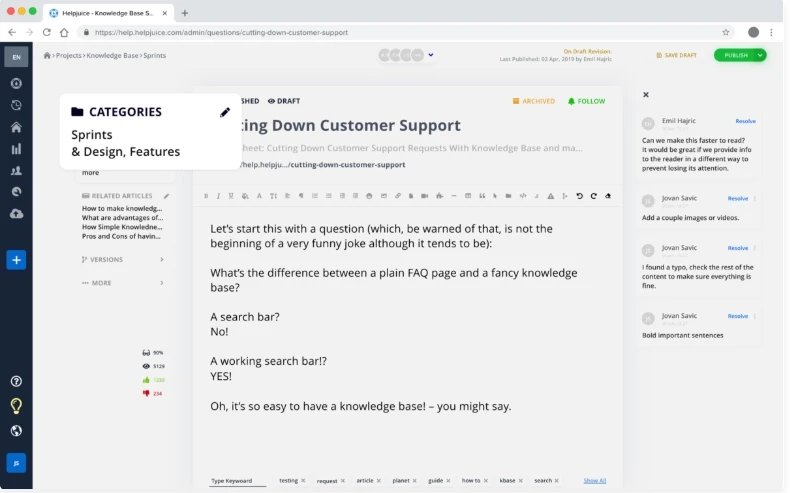
What it is: Dedicated knowledge base platform with straightforward pricing model
Best for: Teams wanting flat-rate pricing that includes all features
What we know:
Helpjuice's transparent pricing lets you pay for the number of knowledge bases, with different amounts of authors or features included. This makes it attractive for larger teams with single knowledge bases. where per-author pricing becomes expensive.
In terms of features, Helpjuice covers the core knowledge base functionality: article creation, customization, search, analytics, and integrations. From customer conversations, we've heard that Helpjuice's feature set is comparable to other standalone knowledge base tools.
Key features:
Clear pricing model
Article versioning and collaboration
Customizable branding
Search functionality
Analytics
Integrations with popular tools
Real customer feedback:
"Helpjuice is user friendly to use and easy to learn. It provides our customers with a knowledge base that is attractive and has a robust search feature, which is important to us. Their support team is fabulous! They are friendly and knowledgeable, and willing to help with anything." - G2 Review
4. Heroic Knowledge Base
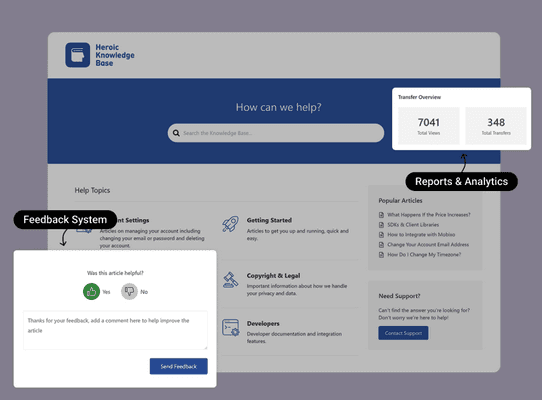
What it is: a WordPress plugin that turns an existing WordPress site into a structured help center.
Best for: Teams already running WordPress who want an affordable, self-hosted knowledge base without subscribing to a separate SaaS platform.
What we know:
Heroic KB is a strong option for teams that are already invested in WordPress and want to keep everything in one place. If WordPress is already part of your workflow, this feels natural and keeps your toolstack lean.
The feature set covers the essentials well: fast search with live suggestions, drag-and-drop article ordering, a built-in table of contents, article feedback, and an AI assistant trained on your content. For teams coming from a basic FAQ page or a wiki cobbled together in another tool, this is a meaningful upgrade. Their key features include a live search with suggestions, organized categories and tags, a built-in table of contents with jump links, an article feedback system, knowledge base analytics and reporting, an AI assistant trained on your knowledge base content, internal knowledge base support, and a WordPress-native workflow and broad plugin compatibility.
Where it gets more nuanced is for teams who aren't already on WordPress. Getting the most out of Heroic KB means being comfortable in the WordPress environment — managing hosting, handling plugin updates, and potentially customizing via theme or CSS. That's not a dealbreaker, but it's a real consideration if you're evaluating it against SaaS tools where that infrastructure is managed for you.
The limitations:
The plugin's simplicity is a genuine strength for WordPress users, but it's not a standalone solution. If you're not already on WordPress, you're setting up hosting and a CMS before you can even start on your knowledge base.
Self-hosted responsibility: you manage updates, security, and backups. For teams without technical support, that overhead adds up.
Premium only, though the pricing is very accessible.
Real customer feedback:
"Heroic KB was an elegant solution to update our Knowledge Base with its minimalist eye-catching design. Everyone on the team, from the developer to the marketing lead, were able to navigate their way easily through the dashboard editor. Even though we were under a time crunch, we were able to get it set up quickly and in time for Mailbutler's big launch." — Tobias Knobl, CEO, Mailbutler
5. Zendesk Guide
What it is: Knowledge base tool bundled with Zendesk's customer service platform
Best for: Organizations already using Zendesk Suite who want basic help center integration
What we know:
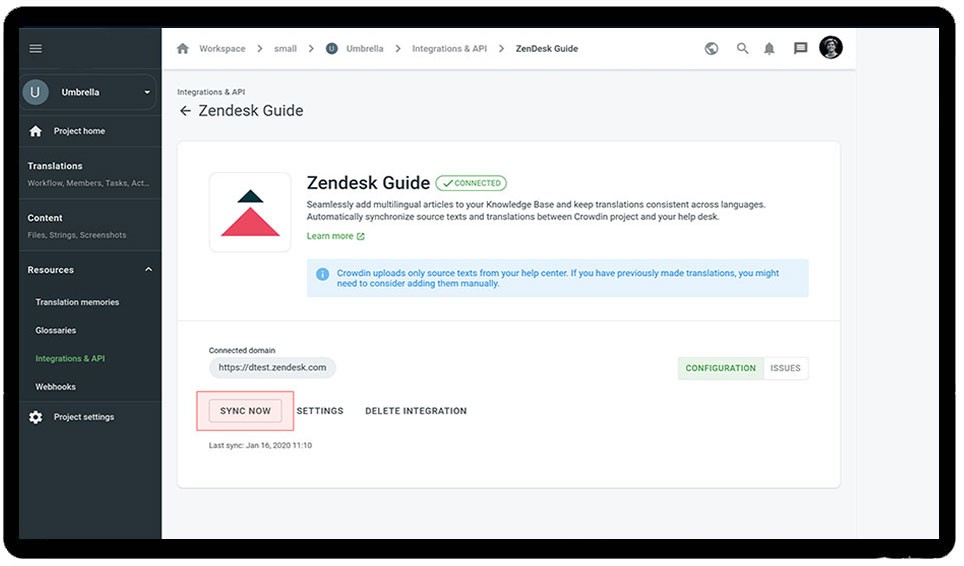
If you're already a Zendesk customer, Guide is a natural add-on. The integration between tickets and articles is straightforward—agents can attach relevant articles to tickets, and the system suggests articles to customers based on their ticket submission.
The content suggestions feature analyzes incoming tickets and recommends new articles to write based on gaps.
The limitations:
Zendesk is a ticketing-first company, and customers who've switched to KnowledgeOwl often mention this. The knowledge base features receive less attention and development compared to standalone knowledge base platforms. From what we've seen and heard, the help center is significantly less customizable than dedicated tools—you're working within Zendesk's templates and constraints.
Customer reviews often mention inconsistent support quality, which is notable for a customer support platform. Response times vary significantly depending on your plan level.
Most importantly, you can't use Guide standalone—it's locked into Zendesk Suite. The pricing scales with your overall Zendesk plan and agent count, making it potentially expensive for teams who only need basic knowledge base features.
When it makes sense:
If you're heavily invested in Zendesk Suite and need basic knowledge base functionality tightly integrated with your ticketing, Guide works. If your knowledge base is a strategic priority requiring customizations, or advanced features, you might prefer a purpose-built tool. KnowledgeOwl has a built-in integration with Zendesk.
Real customer feedback:
"We're handling requests originating from a variety of surfaces, web form ticket submission, web widgets in our app including in-app chat, email support, help center. Integrating this into a seamless experience for our agents is top priority as it allows our agents to live in a single environment." - G2 Review
6. Stonly
What it is: Knowledge platform built for high-volume customer service teams
Best for: Customer service teams that need their knowledge and AI to execute real processes and resolve complex support scenarios reliably.
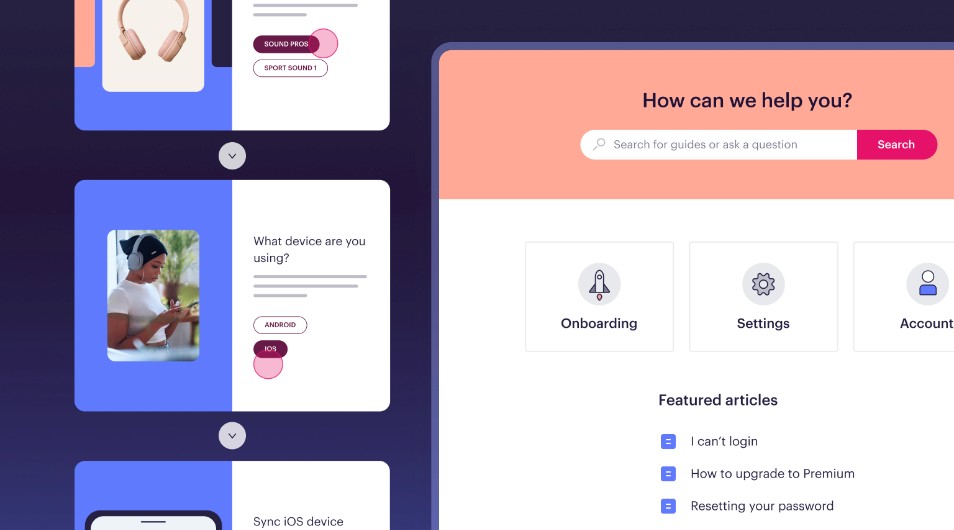
What we know: Stonly’s knowledge platform offers solutions for both agent-facing and customer-facing knowledge. Teams can create standard articles and interactive step-by-step guides that adapt to each user's situation, with direct ticketing integrations that surface the right knowledge for each case automatically.
Stonly also includes Knowledge Agents, AI that monitors your knowledge sources around the clock, spots gaps, and keeps content current without the manual upkeep.
Key features:
Interactive guides that adapt based on customer or agent context
Ticketing system integrations that surface the right knowledge automatically
Integrated AI answers and step-level search
Knowledge Agents that monitor and improve knowledge continuously
Real customer feedback:
"We wouldn’t be able to live without Stonly. There are no other tools that have the same step-by-step guide capability combined with the ease of setup, AI features, and integrations available." - Alex Arkhipov, Tonal
7. Notion
What it is: All-in-one workspace combining notes, wikis, knowledge bases, and project management
Best for: Small teams (under 10) wanting a flexible all-in-one workspace for internal use
What we know:
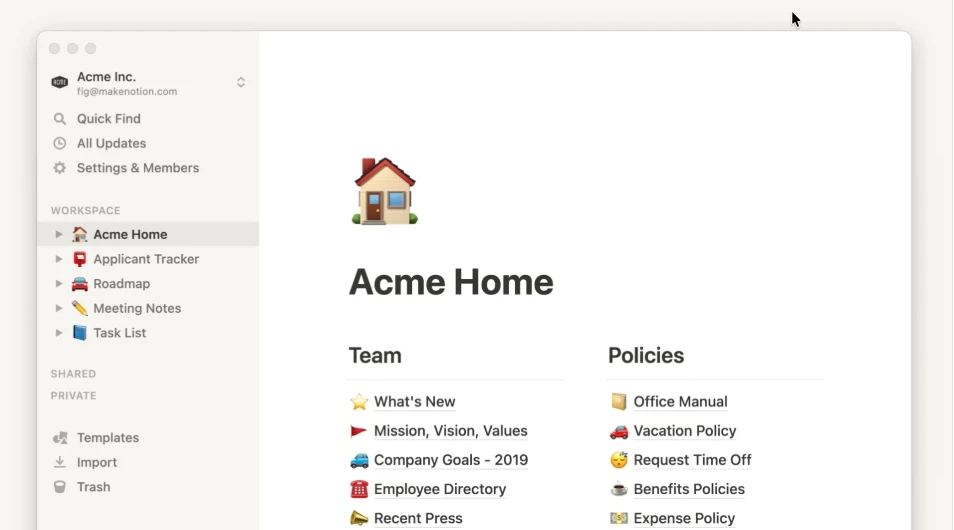
Notion is fun to work with. The flexibility is unmatched—you can create virtually any structure you imagine. Many teams genuinely enjoy using it for collaborative brainstorming and documentation.
The AI writing assistant helps with first drafts.
The knowledge base problem:
Here's where customers tell us Notion falls short as a knowledge base solution: search is not good. Things get hidden and tucked away in nested pages, databases, and toggles. Content that seems beautifully organized when you create it becomes difficult to navigate when you need to find something quickly.
For small, collaborative teams working on internal documentation where everyone intimately knows the structure, Notion excels. But scaling to large content libraries or customer-facing documentation becomes messy and hard to maintain.
The lack of enforced structure means discipline is required. Without it, your knowledge base can quickly devolve into a labyrinth of nested pages that only the original creators can easily navigate.
When it works:
Small teams (under 10 people)
Internal documentation
Teams that enjoy maintaining organizational structure
Projects needing both documentation and project management
When it doesn't work:
Robust customer-facing knowledge bases
Large content libraries (100+ articles)
Teams needing powerful search
Situations requiring structured information architecture
Real customer feedback:
"What I like best about Notion is its flexibility and versatility. It's a tool that adapts to my needs rather than the other way around. I can use it for note-taking, project management, task tracking, and even as a knowledge base." - G2 Review
8. Confluence
What it is: Internal knowledge base and collaboration platform from Atlassian
Best for: Software teams needing documentation integrated with project management (especially if using Jira)
What we know:
Confluence's template library is exceptional, with templates for every conceivable documentation need—meeting notes, project plans, product requirements, technical specs. Each template includes best practices built in.
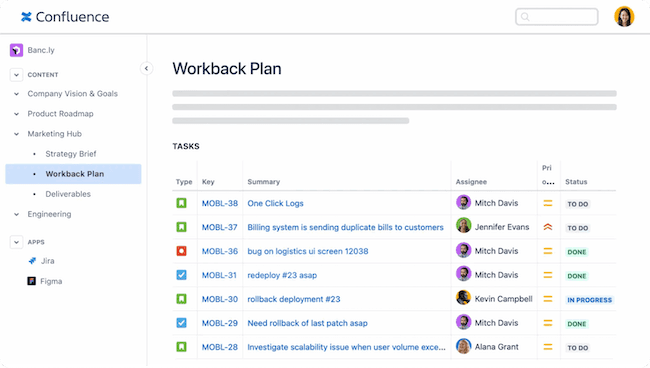
The Atlassian ecosystem integration is powerful if you're already using Jira. Documentation links seamlessly to Jira tickets and project boards. However, this strength becomes a weakness if you're not in the Atlassian ecosystem.
Confluence is clearly designed for internal teams. Using it as a public help center requires significant customization and doesn't feel natural.
Key features:
Extensive documentation templates
Deep integration with Jira and Trello
Advanced permission management
Page hierarchy and organization
Inline commenting and collaboration
Robust API for custom integrations
Pricing: Free for up to 10 users; Standard plan $6.05/user/month
Real customer feedback:
"As a software developer, Confluence is extremely user-friendly. I can easily create and organize documents, share code snippets, and track project progress. The flexibility of templates and the ease of adding content, whether text/Code/Images is truly amazing." - G2 Review
What could be better: The interface feels cluttered compared to modern alternatives. Reviews mention inconsistent search performance. Primarily designed for internal use, and it can be frustrating to search.
9. Guru
What it is: Internal wiki with AI-powered enterprise search functionality
Best for: Organizations needing internal knowledge with universal search across multiple tools
What we know:
Guru's Chrome extension offers a different approach to knowledge management. Instead of switching between apps to find information, you can search Guru from anywhere on the web and get instant answers from content cards.
The verification system is notable—content owners receive notifications when their content is 30, 60, and 90 days old, prompting them to verify it's still accurate. This addresses a major pain point in many knowledge bases: outdated information that nobody maintains. KnowledgeOwl can set articles for automatic needs review, but it doesn't notify the authors directly like Guru does.
The AI search across connected tools (Slack, Google Drive, etc.) requires setup time but can be powerful once configured.
Key features:
Chrome extension for universal access
Content verification workflows
AI enterprise search across tools
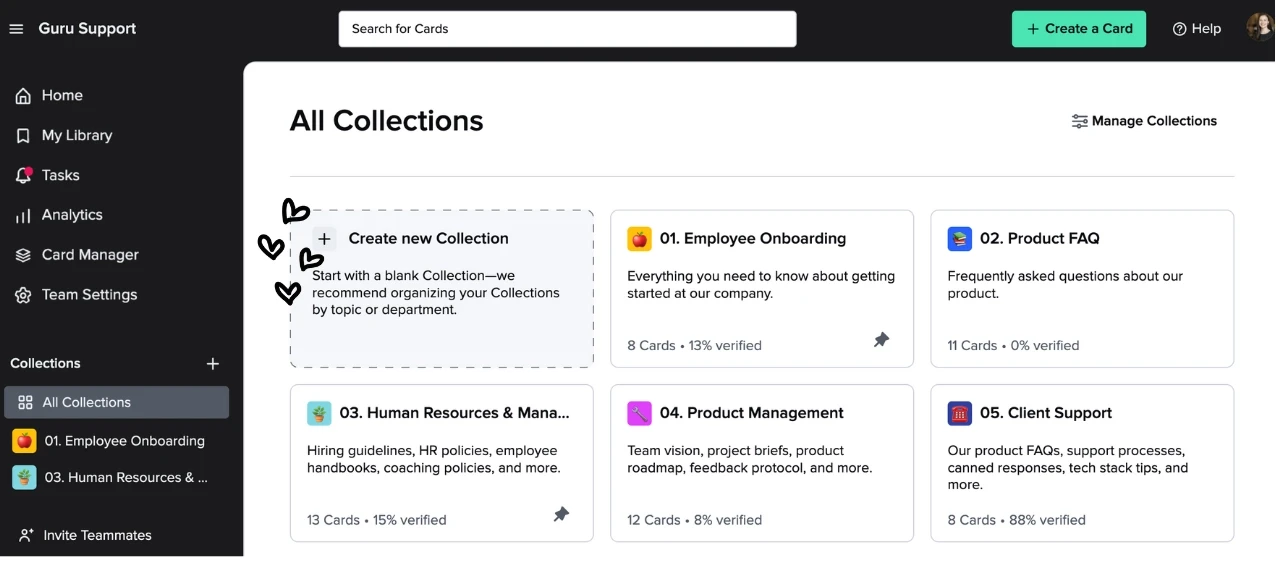
Card-based knowledge organization
Browser capture for easy content creation
Slack and Teams integration
Pricing: Free for up to 3 users; Starter plan $5/user/month; Plus plan $12/user/month
Real customer feedback:
"Guru is one of our most used tools in the company. What I like most is the part where before publishing a card, it needs authorization from someone other than the creator. This gives us the confidence that every published card is authorized by the management." - G2 Review
What could be better: The card-based system takes getting used to. Teams expecting traditional article structures may initially find it counterintuitive. Not designed for customer-facing documentation, so you pay per reader, not only per author.
10. Slite
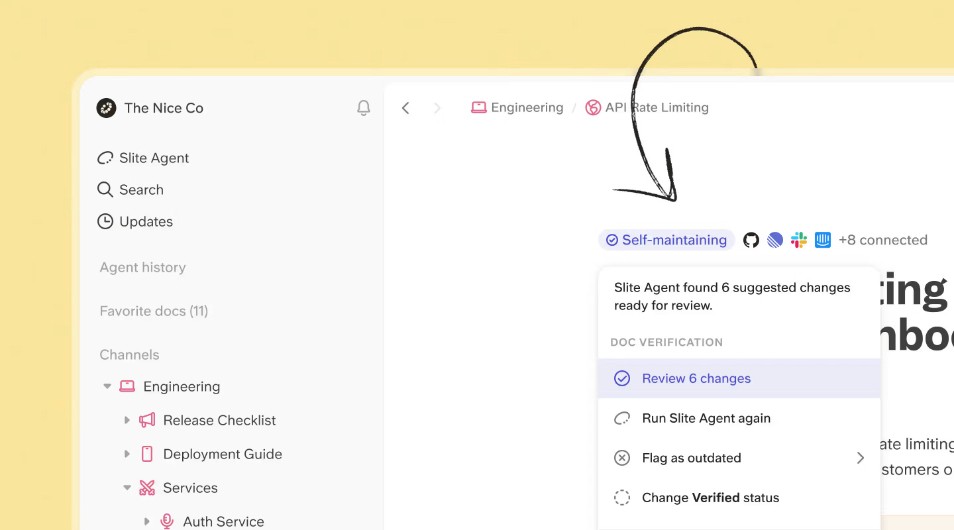
What it is: Self-maintaining knowledge base that keeps itself current from your company's entire tool stack, pairing a verified team wiki with an AI agent.
Best for: Teams that want an internal knowledge base that stays accurate on its own, and AI-driven teams that want a centralized single source of truth their own AI agents can draw on as a context layer.
What we know:
Slite takes the "keep your docs from going stale" problem that tools like Guru tackle and pushes it a step further. Rather than only flagging when content is old, Slite keeps itself current using information from across your tool stack, then pairs that with a structured, verified wiki.
The standout is the Slite Agent, which detects when a doc has drifted from reality, drafts the corrected text as a diff with a rationale for each edit, and routes every change through human approval before it becomes truth. A person always signs off.
Day to day, AI-powered Ask answers natural-language questions with cited sources, and returns "no answer found" rather than guessing. Doc verification lets an owner set re-review cycles with automatic reminders, so ownership never goes stale.
Key features:
Slite Agent (Pro) that detects stale or missing docs across Slite and 20+ connected tools, drafts the fix, and routes it through a human-review triage queue
AI-powered Ask: natural-language search with cited sources (Basic searches Slite docs; Pro and Enterprise search across connected tools)
Doc verification on every plan, with owner-set review cycles (6 months, 1 year, or custom) and automated reminders
Knowledge Management Panel that surfaces outdated, expired, and empty docs alongside usage analytics, in one dashboard
Native integrations with 20+ tools (Slack, Google Drive, Notion, Confluence, Jira, GitHub, Linear, and more), plus MCP and API access on every plan so external AI agents like Claude, ChatGPT, and Cursor can read, draft, and propose changes
Rich editor with tables, flowcharts, Excalidraw, code, and embeds, plus version history and templates
Pricing: No free plan. Basic is $10/user/month and Pro is $20/user/month, both billed annually; Pro adds the Slite Agent and AI search across connected tools. Enterprise is custom, and a 14-day trial is available.
Real customer feedback:
"I really like Slite for its straightforward and simple user experience at a surface level. I think that's super important. There's nothing standing in the way of clearly writing and reviewing documents. The MCP feature is super useful for automatically searching those source of truth documents using AI tools. I find the user permissions feature beneficial too, as it helps us share documents that are ready while keeping others private, which is particularly useful in a medium-sized company." - G2 Review
What could be better: Slite is built for internal company knowledge rather than an external-facing customer help center, so teams that need a public, branded help center will look elsewhere. Slack is the only messaging integration (no Microsoft Teams), and the AI features can't be turned off, which can be a blocker for organizations with strict AI policies.
11. Help Scout
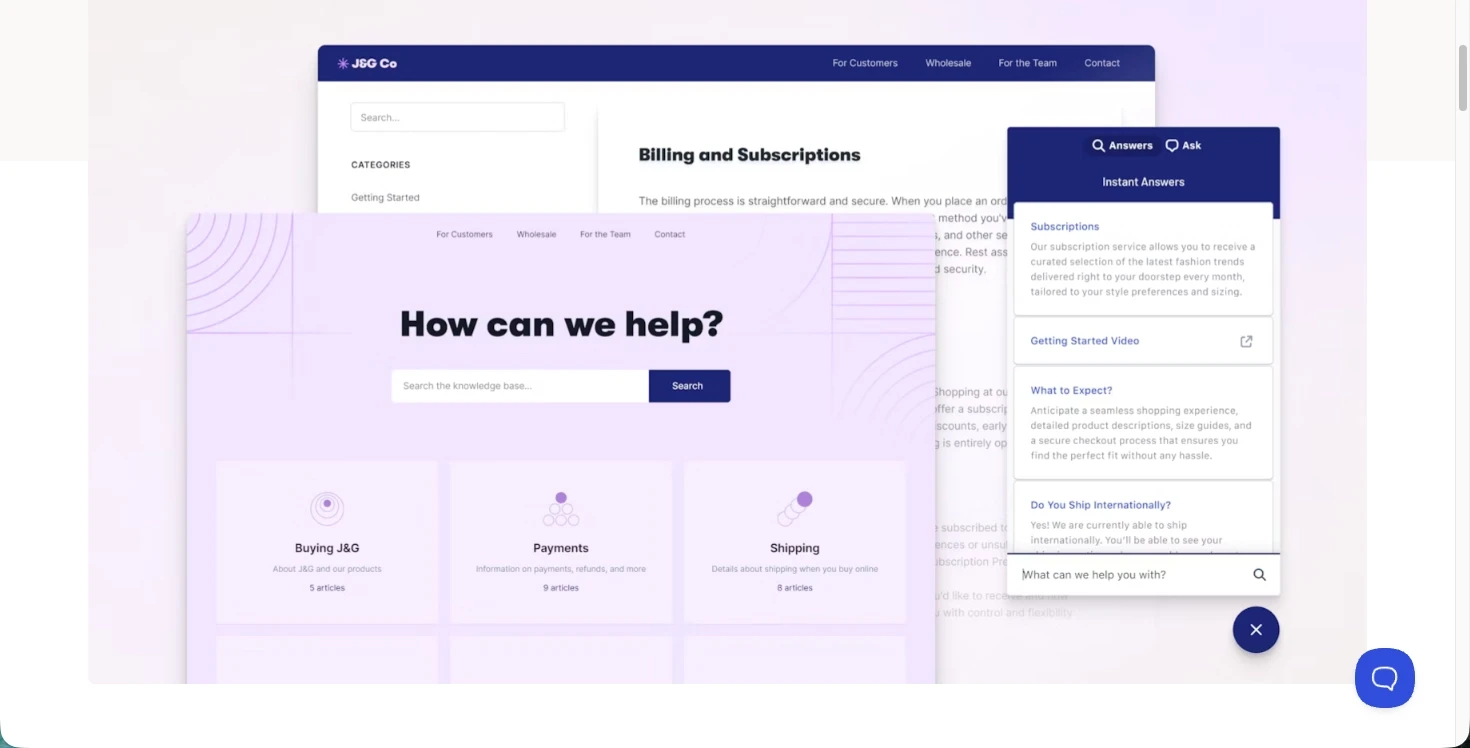
What it is: Ticketing platform with integrated knowledge base ("Docs")
Best for: Small to mid-sized teams needing a knowledge base alongside customer conversations
What we know:
Help Scout positions itself as a more human alternative to enterprise tools like Zendesk, and that philosophy extends to their knowledge base. The focus is on simplicity—solid basics done well without overwhelming feature lists.
The integration between Docs and their email/chat platform allows agents to quickly share relevant articles in conversations. It's straightforward and effective for small teams.
The affordability is notable—at $20/user/month for the full suite including knowledge base. It's significantly cheaper than Zendesk, making it accessible for small teams who need both ticketing and a help center.
Key features:
Integrated knowledge base with email and chat
Article suggestions in conversations
SEO-optimized public help center
Customizable design
Article analytics
Affordable pricing for small teams
Pricing: Standard plan $20/user/month (includes ticketing + knowledge base)
Real customer feedback:
"Help Scout is the primary platform we use for our clients, most of our clients need knowledge bases for their businesses, also the live chat support. So, we set up a knowledge base using Help Scout for them, and also enabled the live chat option. The main use case is to provide self service support to the users without asking a support person, and it is working great so far." - G2 Review
What could be better: Advanced features are limited compared to dedicated knowledge base tools. No API for custom integrations. Not ideal for complex technical documentation.
12. Featurebase
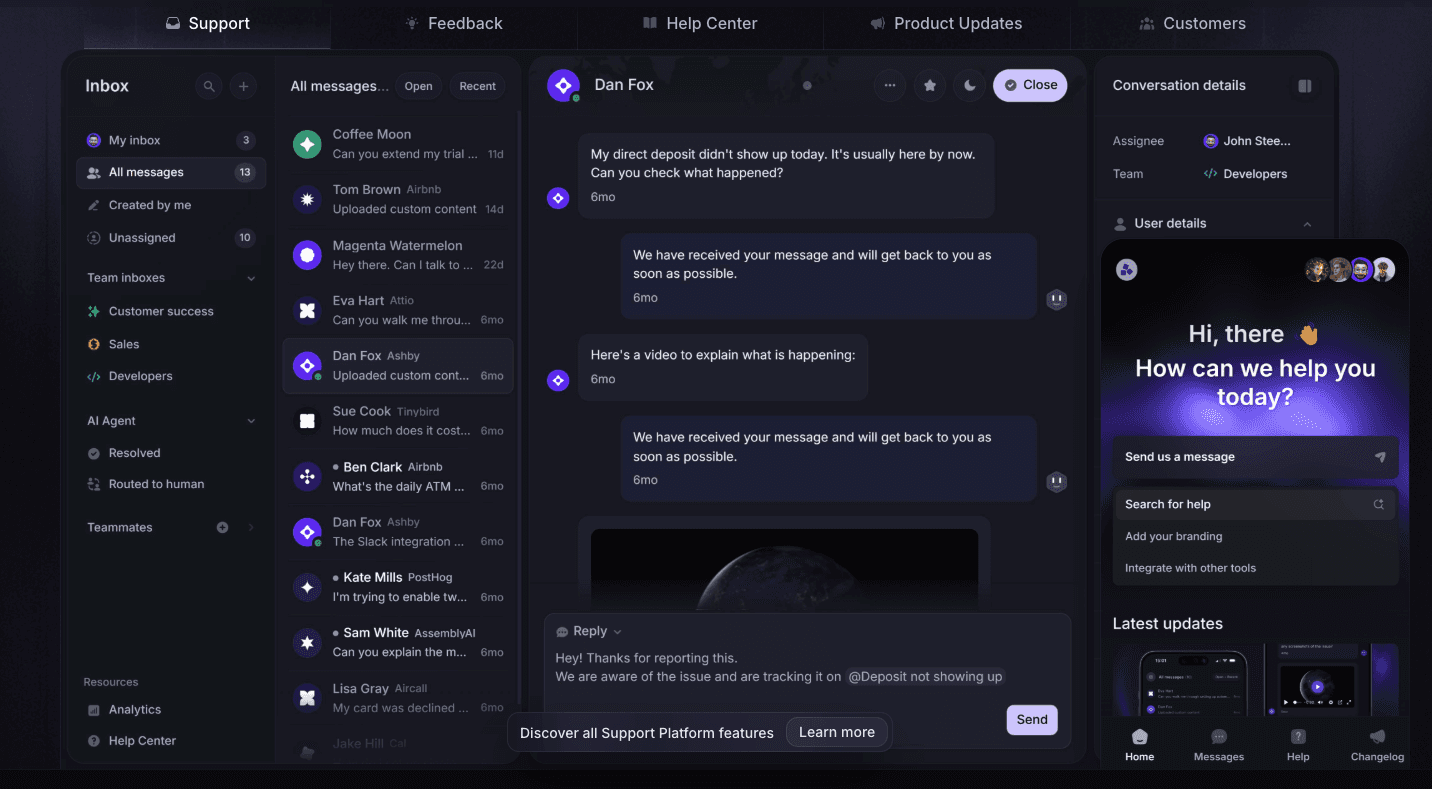
What it is: Modern help center and support platform that combines product documentation, in app help, customer support, and feedback management in one place
Best for: SaaS teams that want their knowledge base tightly connected to customer support, product feedback, and ongoing product updates
What we know:
Featurebase started as a customer feedback and roadmap tool, but it has grown into a full help center and support solution used by product-led SaaS teams. Teams often highlight how easy it is to bring documentation, support conversations, and feature requests together without juggling multiple tools.
The help center supports both public and internal documentation and is designed for fast self-service. Authors can publish clean, branded articles, organize content logically, and surface answers directly inside the product through an in-app widget.
A key differentiator is how the knowledge base content connects to support and feedback. Articles can reduce incoming tickets, while unanswered questions flow naturally into live support and feature requests, keeping everything in one system.
Where Featurebase shines:
Unified help center, support inbox, and feedback boards
In app widget for serving help articles inside the product
Search that generates summarized answers for faster issue resolution
Multilingual knowledge base for global user bases
Built-in changelog and product updates tied to documentation
Predictable pricing with a generous free plan
What could be better: While the integrated approach works well for teams consolidating tools, organizations prioritizing depth in knowledge management; such as advanced content workflows, detailed analytics, or extensive customization, may prefer specialized knowledge base platforms.
Real customer feedback:
“What really sold me on Featurebase over a year ago, when I first integrated it for feature requests and bug reports was the predictable pricing. The product has evolved a lot since then. We now use the help center for self serve support, the automated agent to help users find solutions quickly, and live support as a fallback. Featurebase has helped bring documentation, support, and customer feedback under a single umbrella, and everything feels intuitive and reliable.” - G2 review
Making your decision
Once you've narrowed down to your top 3-5 options, we strongly recommend:
Get hands-on with trials - Every tool in this list offers free trials. Actually create 10-20 articles and test your specific workflows.
Involve your team - Have both content creators and end users test the finalists. The tool that seems perfect to you might frustrate your authors.
Test search extensively - Search is the most critical feature. Test with typos, synonyms, and phrases your actual users would search for.
Evaluate support quality - Contact each vendor's support team with a technical question. You'll be relying on them for years.
Consider total cost - Look beyond base pricing. What features require upgrades? What will the cost be when you add 20 more users next year?
Check migration options - Can you easily export your content if you need to switch later? Some tools make it surprisingly difficult to leave.
Comparison at a glance
Tool | Best for | Best feature |
|---|---|---|
KnowledgeOwl | All-around ease + power | AI search and features + Owl Analytics |
Document360 | Latest features | Category manager + widget |
Helpjuice | Flat-rate pricing | Pricing model + search |
Heroic KB | WordPress users | Accessible pricing |
Zendesk Guide | Zendesk Suite users | Ticket integration |
Stonly | High-volume customer service | Interactive guides + Knowledge Agents |
Notion | Small team workspace | Flexibility |
Confluence | Software teams + Jira | Templates |
Guru | Internal knowledge + search | Chrome extension |
Slite | Self-maintaining internal KB | Slite Agent + AI Ask |
Help Scout | Budget-conscious teams | Simplicity |
Featurebase | Integrating product feedback | Unifying feature requests+ docs |
Final thoughts
Picking a tool your team and customers can rely on requires some work, but we hope this guide makes that investment easier.
We've been in the knowledge base trenches for years, and we've seen what works (and what doesn't). The right solution depends entirely on your specific needs, team size, audience, budget, and goals.
While we obviously think KnowledgeOwl is really great (hoot! 🦉), we genuinely want you to find the knowledge base software that fits your needs best. That's what it's owl about!
Ready to try KnowledgeOwl? Start your free 30-day trial - no credit card required.
Still not sure? Book a conversation with us to see how KnowledgeOwl works with your specific use case.
Last updated: June 2026


Follow these 3 steps to improve your knowledge base
1
Get expert tips every month in your inbox
No spam, pinky promise.


2
Try the knowledge base software your team will fall in love with
Reduce tickets, make information easy to find.
Happier employees, happier customers.

3
Become the tech writer everyone respects
Check out our podcast, The Not-Boring Tech Writer.

How teams are using KnowledgeOwl
Loved by 3,200+ knowledge base authors in software companies around the world


























