
All articles
Write the Docs – Any friend of the docs is a friend of mine by Heather Stenson
Technical writer at Mapbox Heather Stenson talked to us about Friends of the Docs, which you can build in order to improve your documentation productivity.
Published
Category
Write the Docs – Any friend of the docs is a friend of mine by Heather Stenson
Catherine Heath | May 24, 2019
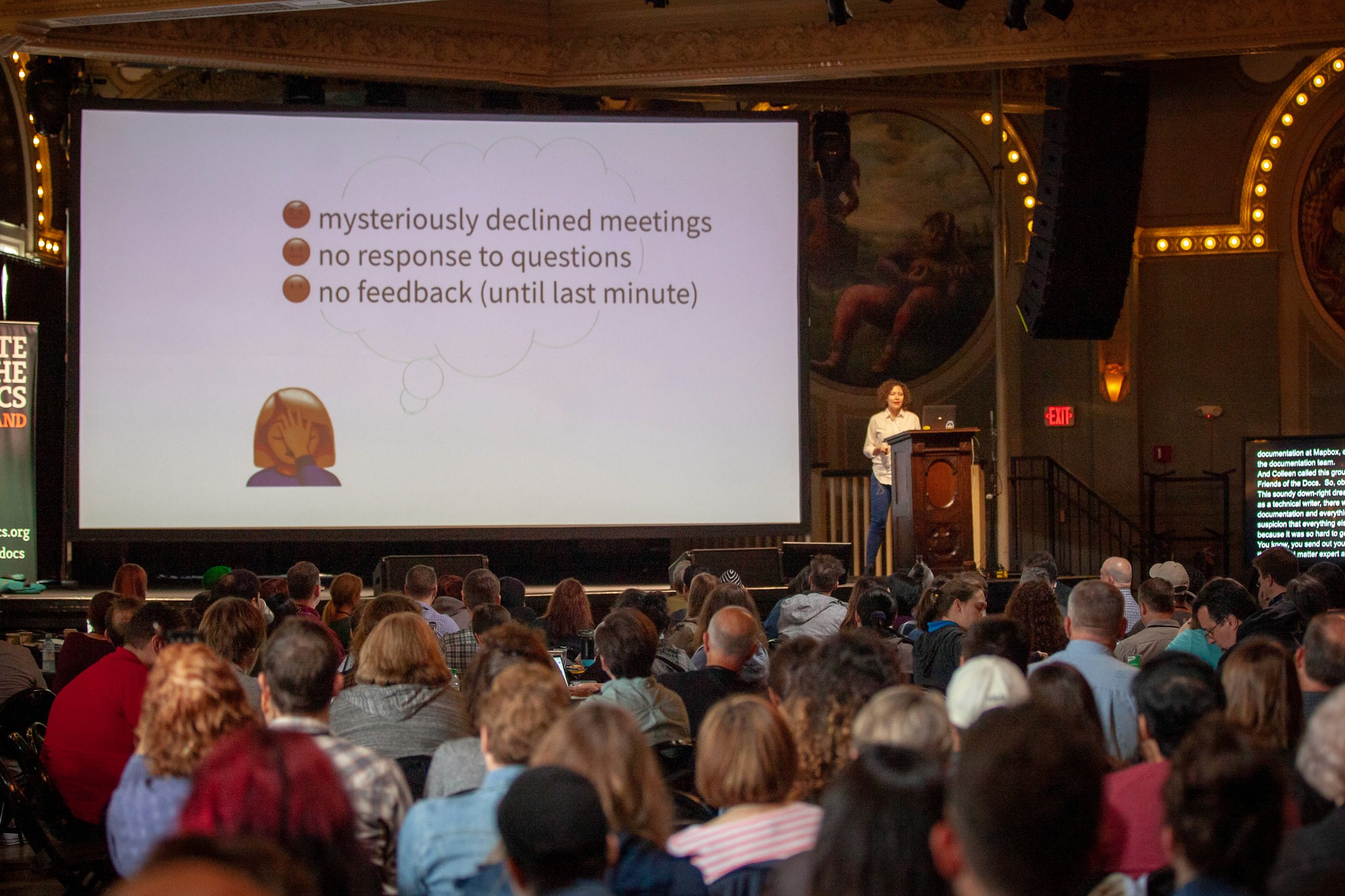
This was a great talk about Friends of the Docs from Heather Stenson. It was the first talk in the conference schedule at Write the Docs Portland 2019. In a previous career, Heather was a librarian and is now a technical writer at Mapbox.
Often there is a stark divide between documentation and everything else. The lone technical writer can be tasked with producing mountains of what seems like a never-ending amount of documentation.
It was hard to get documentation done, especially when you have SMEs declining your emails. This is where Friends of the Docs come in. Heather is only one technical writer at her company but she manages to accomplish a whole lot more with the help of her friends.
A documentarian typology
Heather came up with a documentarian typology to classify team members who are not technical writers and their relationship to the docs. There are four distinct types. The categories are: Docs Oblivious, Docs Aware, Docs Enthusiast, and Friend of the Docs.
Docs Oblivious | People who are not aware of the existence of docs |
Docs Aware | People who are aware of the docs but don't care about them |
Docs Enthusiast | People who are enthusiastic about the docs but don't contribute |
Friend of the Docs | People who are friends of the docs and contribute to producing them |
Heather also made a chart depicting the characteristics that define each type:
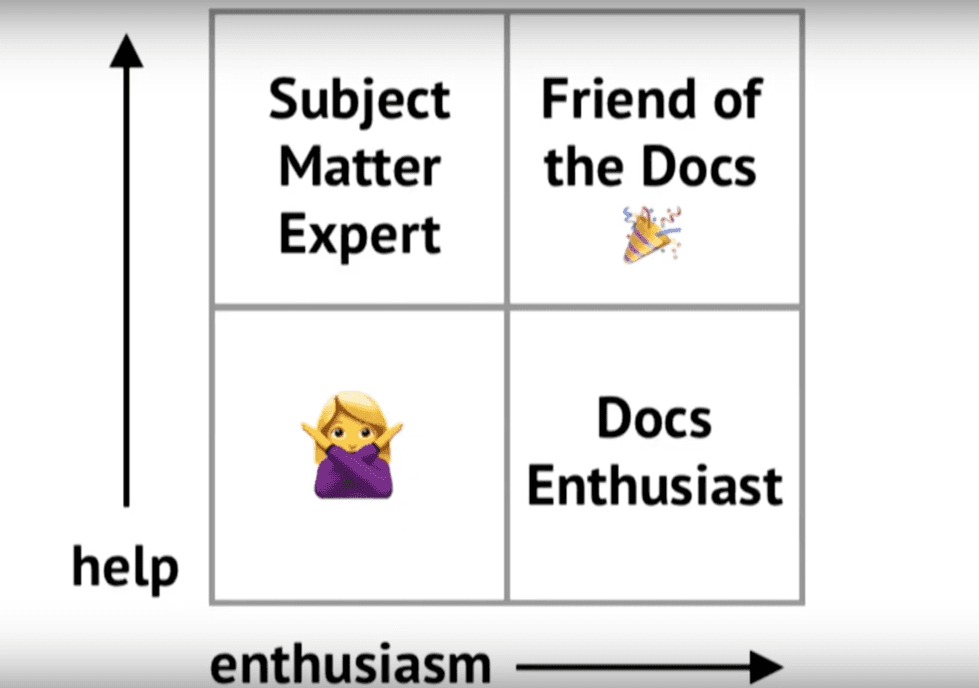
Only the right combination of both enthusiasm for docs and a willingness to help with them results in a friend of the docs. Docs Enthusiasts have enthusiasm only, but no desire to currently help. Docs Enthusiasts have potential to become friends of the docs, but it may take some time to bring them on board. SMEs will help you but can lack enthusiasm.
You can cover a lot more documentation ground with Friends of the Docs. People are voluntarily doing documentation to help the lone technical writer, even though it's not part of their main job description.
In this way, documentation can become the job of everyone. It's a lot like crowdsourcing the documentation.
Ways to find friends of the docs
You can find more Friends of the Docs by looking in likely places:
Customer support
Product managers
Individual contributors
Make allies at the top. Get face time with team leads and the documentation will automatically be on their agenda, although this may take a few meetings to accomplish.
Heather says, “It’s a long-term strategy and takes a few rounds of meetings but they’re typically Friends of the Docs for life.”
Share customer feedback about documentation for motivation. As Heather says, “Nobody works well in a feedback vacuum.” Customer feedback, even bad feedback, is important for getting the team on board. Although it might hurt to have your documentation criticized, customer complaints can provide valuable ammunition when arguing your case for more docs support.
Bring up the bottom line when it comes to documentation – it can negatively impact customer experience if you don’t have good docs. It will lose you money and customers, which is important to the higher ups. You can also bribe people to contribute with stickers, shirts, food and happy hours.
Communication is key when it comes to cultivating your community of Friends of the Docs. Give people ways to contact you. Create a documentation specific issue tracker on Github for your company for more docs visibility. You can also create a friends-of-docs channel on Slack, but don't open too many communication channels as you run the risk of overwhelming people.
Obstacles to friends of the docs
Silos are a challenge when it comes to Friends of the Docs. "Everybody is too dang busy," says Heather.
People often have an exclusive focus on their own priorities. You, on the other hand, have a unique perspective as a documentarian. You can bridge the gap between different teams, since you work directly for the customer.
Set boundaries and parameters for your Friends of the Docs. "Boundaries are like guard rails that keep people safe," says Heather. They are part of any healthy relationship including with Friends of the Docs. For example, don't allow contributors to actually publish documentation until you have reviewed it.
You need to have a process when it comes to Friends of the Docs, since your helpers are not technical writers by trade. Perhaps implement a review process, or include templates and style guides to help your contributors match the standard you need to achieve for documentation.
"Loosen your grip just a little on the docs," says Heather. "Losing some control means you can be more productive."
Help the helpers by making connections with people, project managing the documentation, adopting a task that is abandoned, or shelving projects if necessary. Encourage people to help you in the future by fostering good feelings.
Hopefully this type of approach to documentation will encourage other people in the company to be more open in their working practices in general.
Docs Dopamine Loop
Heather referred to something else that calls the Docs Dopamine Loop.
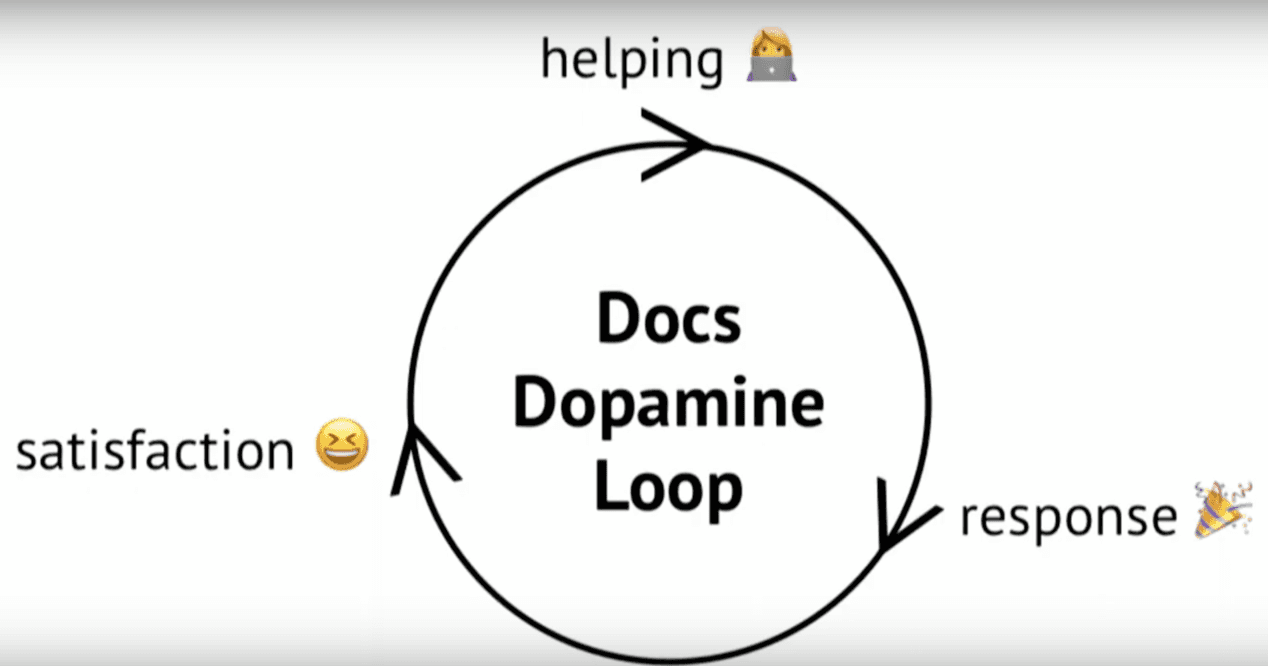
Helping with the docs becomes a virtuous circle that turns people into Friends of the Docs. Helping out and getting feedback for your efforts results in satisfaction, producing the Docs Dopamine Loop.
Once you've got your community growing, show people you appreciate them to encourage them to keep contributing. This can include public shout-outs, SWAG, or hosting appreciation events. Stay friends even when the relationship changes.
Watch Heather's full talk on YouTube and follow Heather on Twitter.
{{snippet.authorCatherineHeath}} {{snippet.Disqus}}

Written by
Catherine Heath
Catherine is a freelance writer based in Manchester who writes blogs, social media content, and copy. She also designs owl-based images. 🦉

Follow these 3 steps to improve your knowledge base
1
Get expert tips every month in your inbox
No spam, pinky promise.


2
Try the knowledge base software your team will fall in love with
Reduce tickets, make information easy to find.
Happier employees, happier customers.

3
Become the tech writer everyone respects
Check out our podcast, The Not-Boring Tech Writer.

How teams are using KnowledgeOwl
Loved by 3,200+ knowledge base authors in software companies around the world


























