
All articles
Which knowledge base software solutions have the best SSO integration?
Which knowledge base software has the best SSO? Compare SAML implementations, security features, and authentication options across KnowledgeOwl, Confluence, and more.
Published
Category
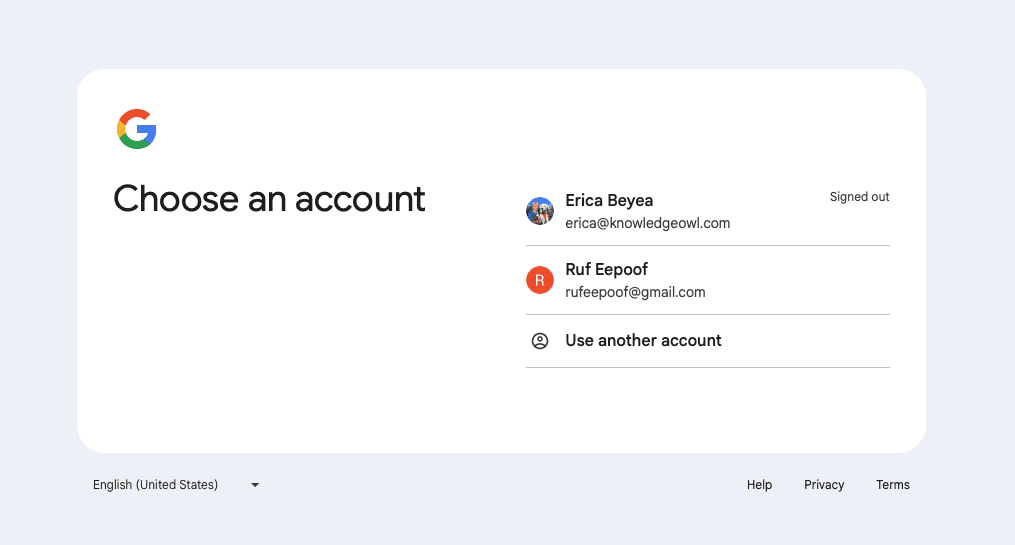
If you're shopping for knowledge base software, single-sign-on integration probably isn't the most exciting feature to evaluate—but it's one of the most important. Single sign-on has gone from "nice to have" to "must have" for most organizations, especially if you're dealing with security-conscious teams, distributed workforces, or enterprise customers.
The good news? Most modern knowledge base platforms support SSO now. The bad news? Not all SSO implementations are created equal. Some are bare-bones checkboxes, while others integrate deeply with your access control strategy. Let's look at which systems actually get it right.
Understanding SSO and SAML in knowledge base systems
Before we dive into specific platforms, here's a primer on how it works.
SSO (single sign-on) means your users authenticate once and get access to multiple applications without re-entering passwords. SAML (Security Assertion Markup Language) is the protocol that makes enterprise SSO work—it's basically the secure handshake between your identity provider and your knowledge base.
Here's what happens: someone tries to access your knowledge base, gets redirected to your company's identity provider (like Okta or Microsoft Entra ID), enters their credentials there, and the IdP sends a digitally signed assertion back to your knowledge base saying "yep, this person is legit." Your knowledge base verifies that signature and lets them in—all without ever handling or storing any passwords.
It's elegant when it works. It's frustrating when it doesn't (usually because of certificate issues, but we'll get to that).
Top knowledge base systems with strong SSO integration
KnowledgeOwl
Full disclosure: this is us, but we genuinely think we've built one of the more flexible SSO implementations out there.
KnowledgeOwl supports SAML 2.0 SSO and works with all the major identity providers: Okta, Microsoft Entra ID (formerly Azure AD), Google Workspace, OneLogin, and ADFS. But what really sets our approach apart is how SSO integrates with reader groups.
Reader groups let you segment content by audience. When you combine that with SSO, you get automatic access control based on who's logging in. For example, you can configure things so that users with an @yourcompany.com email automatically see internal documentation, while partner companies only access integration guides specific to your partnership.
Key features:
Flexible authentication options: Mix and match traditional username/password, SAML SSO, or remote authentication (where users authenticate through your own application and you pass them through to KnowledgeOwl)
Reader group integration: Automatically assign users to content groups based on SSO attributes like email domain or IdP group membership
Granular control: Force SAML for internal authors while letting customers use different authentication methods
Comprehensive attribute mapping: Map any SAML attributes from your IdP to user fields in KnowledgeOwl
No limit for private readers!: Many alternatives have you pay extra per reader, if they're logging in to view your knowledge base. At KnowledgeOwl, the amount of readers accessing your knowledge base privately (via SSO, or any login) is unlimited.
Setup typically takes under an hour if you're already familiar with SAML. We have detailed documentation for each major identity provider, and our support team will gladly hold your hand through implementation if you need it.
SAML SSO is available on our Business and Enterprise plans, and you can test the full implementation during our 30-day free trial.
Confluence
If you're already living in the Atlassian ecosystem, Confluence's SSO integration is solid. You get unified authentication across Jira, Trello, and all your other Atlassian tools, which is genuinely convenient.
Confluence supports SAML 2.0, OAuth, and just-in-time provisioning (where user accounts are automatically created on first login). The permission system is powerful—you can set access controls at the space, page, and user level.
The downsides? Confluence is complex to configure, especially if you're not already an Atlassian admin. And the platform is really designed for internal team collaboration and software documentation—if you're building customer-facing documentation, you might find it clunky. Also, the Data Center version offers more SSO flexibility than Cloud, but requires careful load balancer configuration to avoid authentication issues.
Document360
Document360 takes security seriously, with a robust SAML 2.0 implementation. They support all major identity providers and include strong audit trails—authentication events and access patterns are automatically tracked.
The platform also offers AI-powered search and guided workflows that respect SSO-based permissions. If you need detailed compliance documentation (because your security team or auditors require it), Document360 delivers.
Helpjuice
Helpjuice offers SAML 2.0 authentication with solid customization options and strong analytics. The platform integrates well with Zendesk and Slack, and supports both standard IdPs and custom authentication systems through remote authentication.
What makes Helpjuice stand out is how customizable everything is—extensive branding options while maintaining secure authentication, and analytics that let you track both article performance and authentication patterns.
The straightforward SSO setup makes it accessible for smaller organizations without dedicated security teams, while still offering features larger enterprises need.
Zendesk Guide
Zendesk Guide's SSO integration is designed for customer support teams. It's part of the broader Zendesk ecosystem, which means unified authentication across support tickets and knowledge base articles.
You can configure different SSO setups for different user groups—one for agents, another for customers. It works with Okta, OneLogin, Active Directory, LDAP, and other major providers.
The integration with the help desk is genuinely useful if that's your workflow. The potential downside is that it's a part of the larger Zendesk product. That's a-ok if you're already using Zendesk, and you don't need much from your knowledge base, but purpose-built knowledge bases like KnowledgeOwl or Document360 offer a lot features that Zendesk lacks.
Notion
Notion gets a lot of love, and the interface is beautiful. But SSO is only available on Enterprise plans, and the implementation is pretty basic compared to dedicated knowledge base platforms.
Notion works well for startups and smaller teams that need flexible workspace tools that isn't custom-built for creating and finding documentation. But if you're in a highly regulated industry or need detailed audit trails, or a strong search experience, you'll probably find it lacking.
Essential SSO features to evaluate
When you're comparing knowledge base systems, look for these features:
Unlimited private readers
Before getting into the technical aspects, you'll want to be very sure you aren't paying extra for each person who needs to login to read your knowledge base. A lot of the companies above do charge per login, even if it is just read-only. At KnowledgeOwl, your readers are always unlimited. You only pay for access to the back-end, where your docs are created and edited.
Protocol support and IdP compatibility
Make sure the platform supports SAML 2.0 (the industry standard). Some also support OpenID Connect (OIDC), which is becoming more popular for modern, API-driven apps.
More importantly: verify it works with your identity provider. Most platforms support the big names (Okta, Microsoft Entra ID, Google Workspace), but if you're using something less common, double-check before committing.
Attribute mapping and group management
This is where good SSO implementations separate from basic ones. You want to map SAML attributes from your IdP (name, email, department, groups) to fields in your knowledge base.
Even better: platforms that let you automatically manage permissions based on those attributes. For example, in KnowledgeOwl, you can automatically assign readers to reader groups based on their IdP group membership—no manual administration needed.
SSO implementation best practices
Getting SSO right requires more than just flipping a switch. Here's what actually works:
Start with a clear authentication strategy
Before you configure anything, figure out:
Who needs access? (Internal employees? External customers? Both?)
Do different groups need different content?
What identity provider and authentication methods are you already using?
What compliance requirements govern your user data?
Use granular access controls
Don't give every authenticated user access to everything. Use group-based permissions to implement least-privilege access. This improves both security and user experience (nobody wants to wade through irrelevant documentation).
Test thoroughly before production
Set up a test environment. Test with multiple accounts representing different roles. Verify:
Initial login flow works correctly
User attributes are being passed and mapped right
Users land in the correct groups automatically
Sessions expire appropriately
Logout works across all integrated apps
Monitor and maintain
SSO isn't set-it-and-forget-it. Regularly monitor authentication logs for suspicious activity, review group memberships, and—this is critical—keep certificates current. Expired certificates are one of the most common causes of SSO failures.
Provide clear documentation
Even with SSO, users will have questions. Create documentation explaining how to log in, what to do if authentication fails, and who to contact for help.
Security considerations
SSO centralizes authentication, which enhances security—but also creates a single point of failure. Here's how to protect it:
Certificate management
SAML relies on digital certificates to verify authenticity. Set up a process for monitoring expiration dates and renewing certificates before they expire. Certificate expiration will lock everyone out of your knowledge base. This is a very un-fun experience to have.
Secure communication
All communication between your IdP and knowledge base should happen over HTTPS. Most platforms require this for SSO to function, but verify it's configured correctly.
Incident response
Have documented procedures for authentication-related security incidents: disabling compromised accounts, revoking SSO access, investigating unauthorized access, and communicating with affected users.
The role of access controls beyond SSO
SSO handles authentication (verifying who someone is), but you also need authorization (determining what they can access). The best systems combine both.
Content segmentation
Platforms like KnowledgeOwl use reader groups to segment content by audience. Combined with SSO, this creates automatic access control:
Users with @company.com emails see internal docs
Partner companies see partnership-specific integration guides
Trial users see basic content while paying customers access advanced features
Cost considerations
SSO features typically live on higher-tier plans. When evaluating costs, factor in:
Plan requirements (usually Business or Enterprise tiers)
Per-user pricing as your team grows (do you have to pay for people who are only reading via an SSO login?)
Your identity provider costs
IT resources needed to configure and test
Training time for users and administrators
KnowledgeOwl includes SAML SSO on Business and Enterprise plans with transparent pricing, with no hidden fees for SSO configuration or ongoing use.
Making your decision
Choosing a knowledge base with strong SSO integration means balancing security requirements, user experience, existing infrastructure, budget, and scalability. Here's a framework:
Assess your current state: Document your existing identity provider, user types, and authentication requirements
Define success criteria: What specific outcomes do you need from SSO?
Evaluate platforms: Compare how each meets your requirements
Test with real scenarios: Use free trials to test actual SSO configuration with your IdP
Consider the complete picture: Look beyond SSO to evaluate the entire knowledge base solution
Plan for growth: Ensure the platform scales as your needs evolve
The "best" SSO integration depends on your specific context. KnowledgeOwl's flexible authentication options, reader group integration, and straightforward configuration work well for organizations seeking comprehensive access control. Confluence excels for teams embedded in the Atlassian ecosystem.
Conclusion
SSO integration has moved from nice-to-have to essential for many companies. The platforms that excel—KnowledgeOwl, Confluence, Document360, Helpjuice, and others—share common strengths: SAML 2.0 support, compatibility with major IdPs, integration between authentication and authorization, and focus on both security and usability.
When evaluating knowledge base systems, prioritize platforms that treat SSO as an important feature, not an afterthought. Test thoroughly, think about how authentication fits your broader content access strategy, and choose a solution that will grow with your organization.


Follow these 3 steps to improve your knowledge base
1
Get expert tips every month in your inbox
No spam, pinky promise.


2
Try the knowledge base software your team will fall in love with
Reduce tickets, make information easy to find.
Happier employees, happier customers.

3
Become the tech writer everyone respects
Check out our podcast, The Not-Boring Tech Writer.

How teams are using KnowledgeOwl
Loved by 3,200+ knowledge base authors in software companies around the world


























