
All articles
Smooth sailing: Executing your Netlify to KnowledgeOwl migration
See how easy it is to migrate documentation from an existing knowledge base to KnowledgeOwl with a real-world example.
Published
Category
Welcome to the second article in a three-part series on migrating your documentation to KnowledgeOwl!
The first article provided an introduction to KnowledgeOwl's robust features and covered the initial migration steps. This article will build on that and provide a more comprehensive migration guide.
As mentioned in the first article, we will use the process of migrating my Documentation for NBA-API Package to KnowledgeOwl as an example.
Importing data
KnowledgeOwl has a few options for importing data.
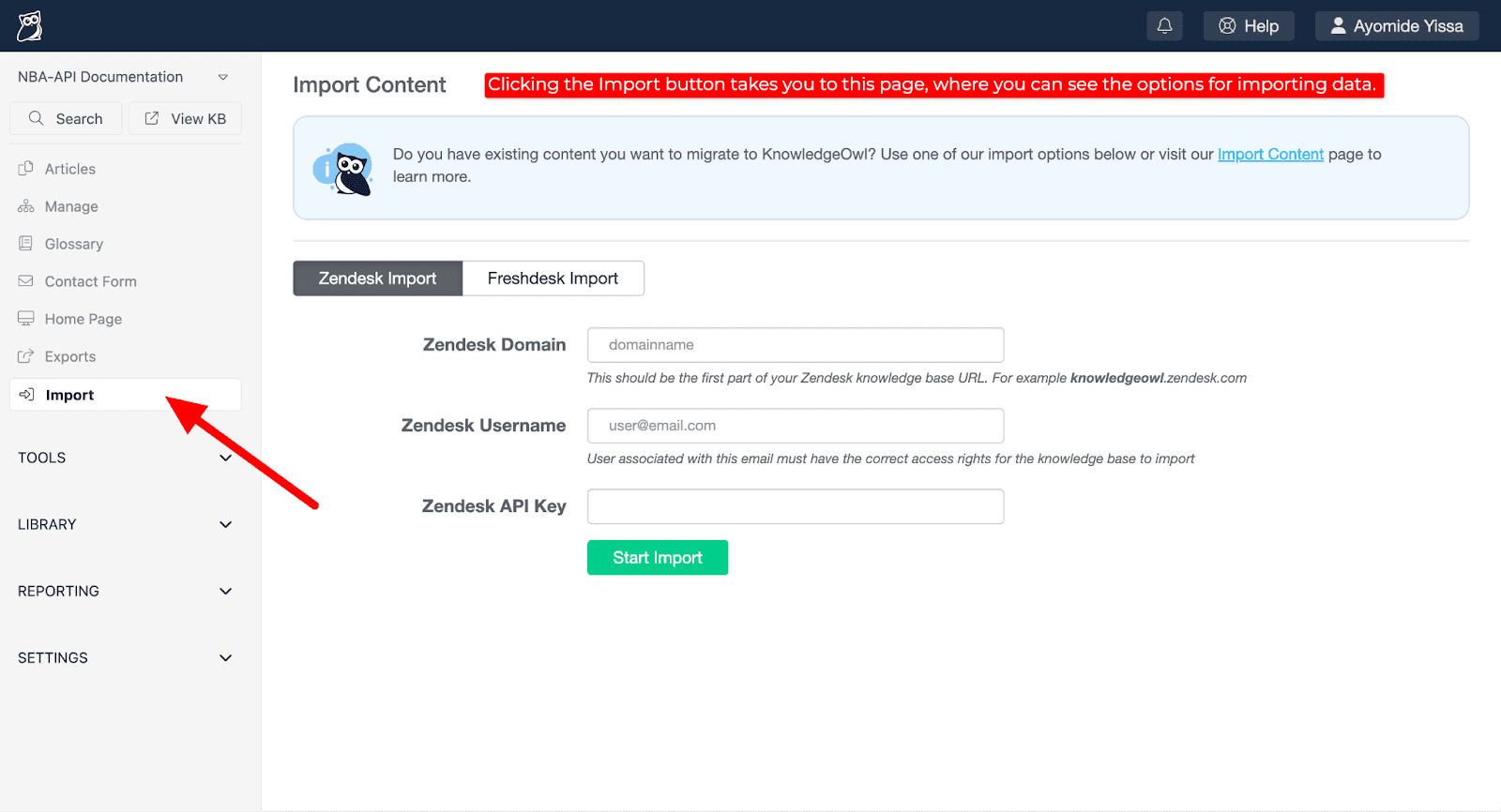
At the time of this writing, it's possible to import content directly from Zendesk and Freshdesk.
If your organization does not use either of those tools, there are additional options. KnowledgeOwl has an Import content page that shares more details.
Migrating existing documentation to KnowledgeOwl
In KnowledgeOwl, categories, subcategories, and articles work together to form organized and effective knowledge bases (KBs).
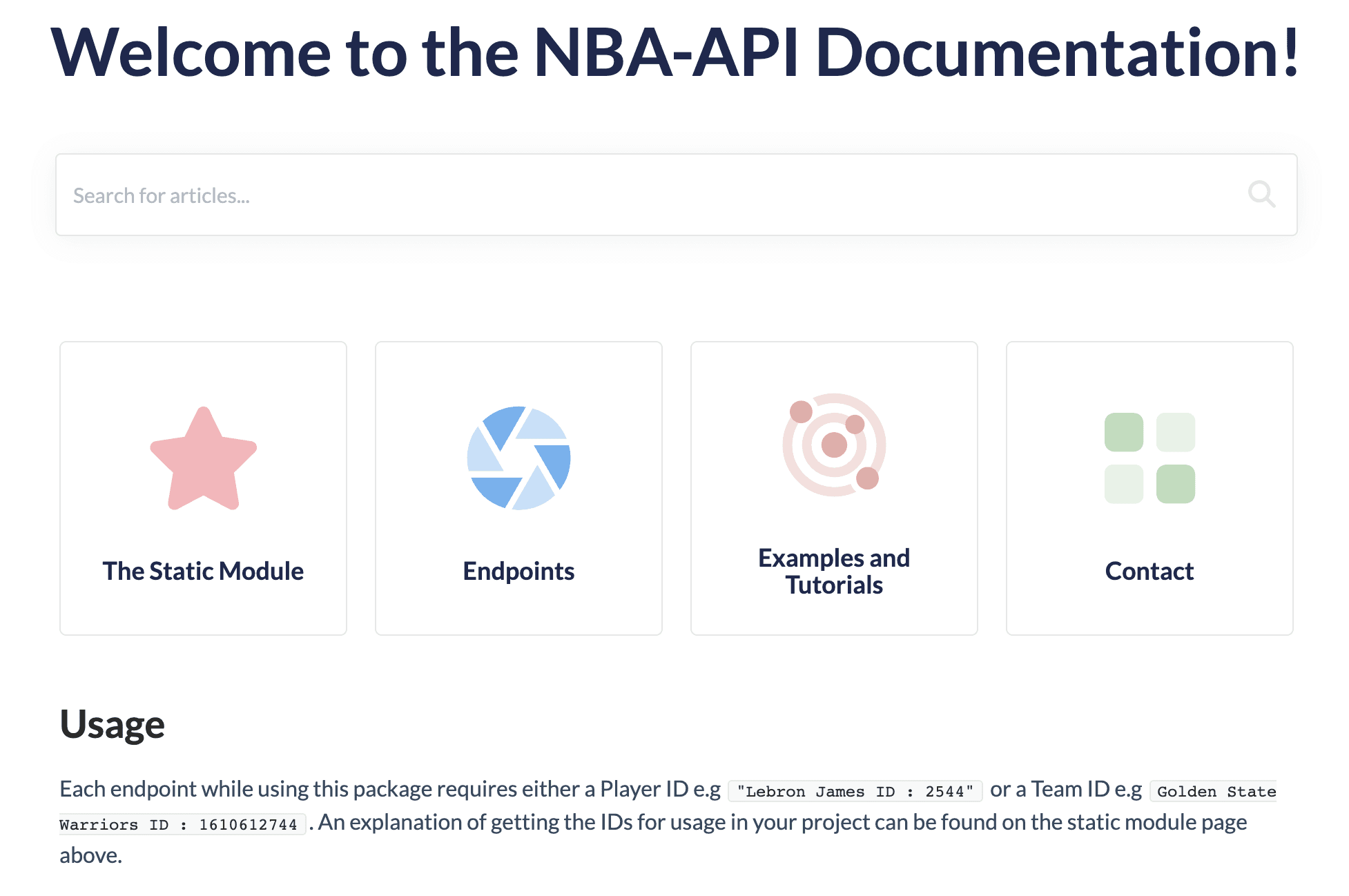
This section will go over how I created subcategories and articles within the following main categories that were based on my original Documentation for NBA-API Package:
The Static Module
Endpoints
Examples and Tutorials
Contact
"The Static Module" category
"The Static Module" category contains important information about how to access the full functionality of the package.
Here is the structure of this category:
Article: Introduction to the Static Module
Subcategory: Player Module
Article: Player ID
Subcategory: Team Module
Article: Team ID
Subcategory: Accessing the Data
Article: Accessing the Data
Subcategory: Examples
Article: Examples of Using the Static Module Functionality
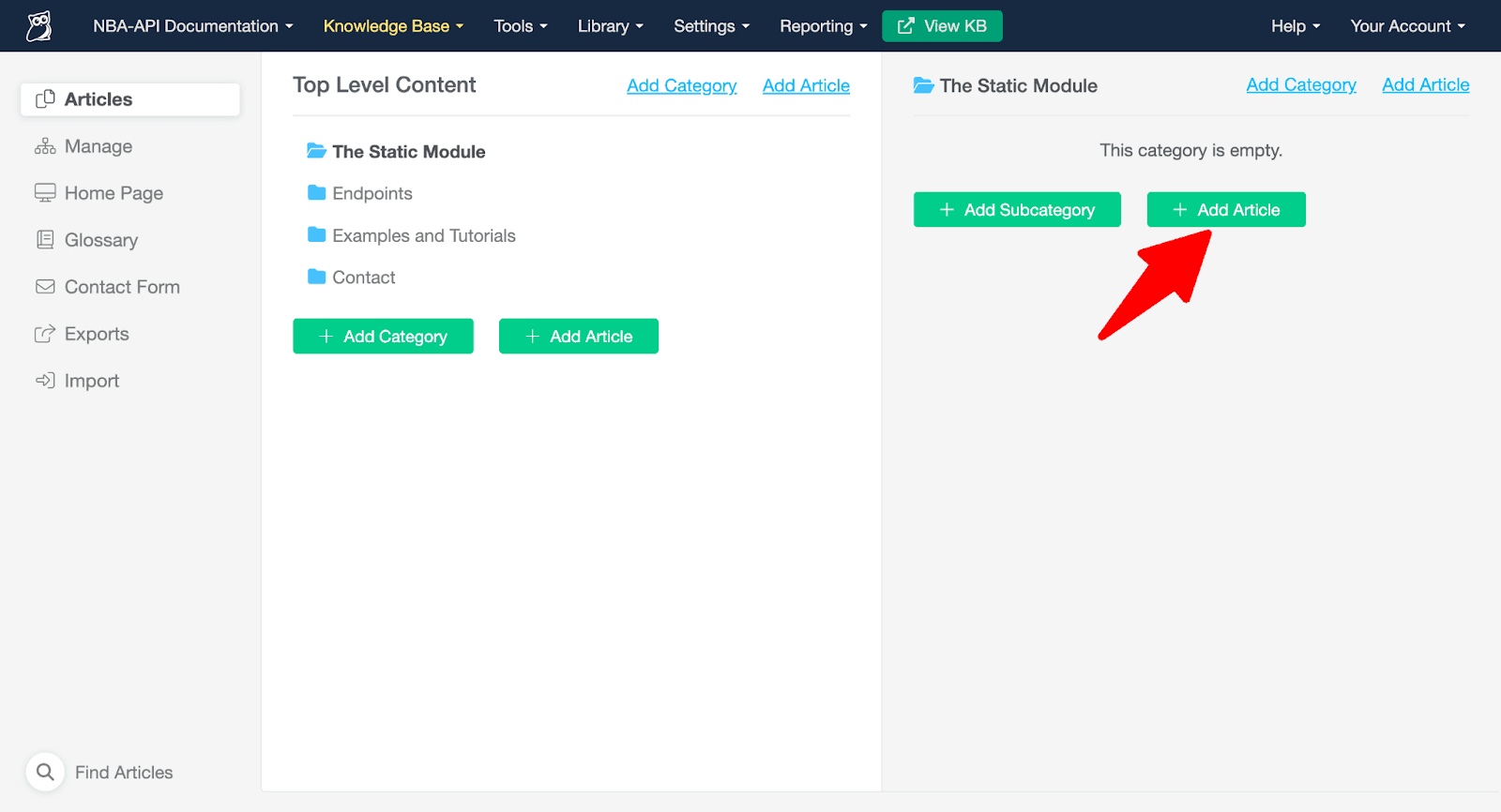
To create the first article in "The Static Module" category, I selected that category and then clicked on the "+ Add Article" button.
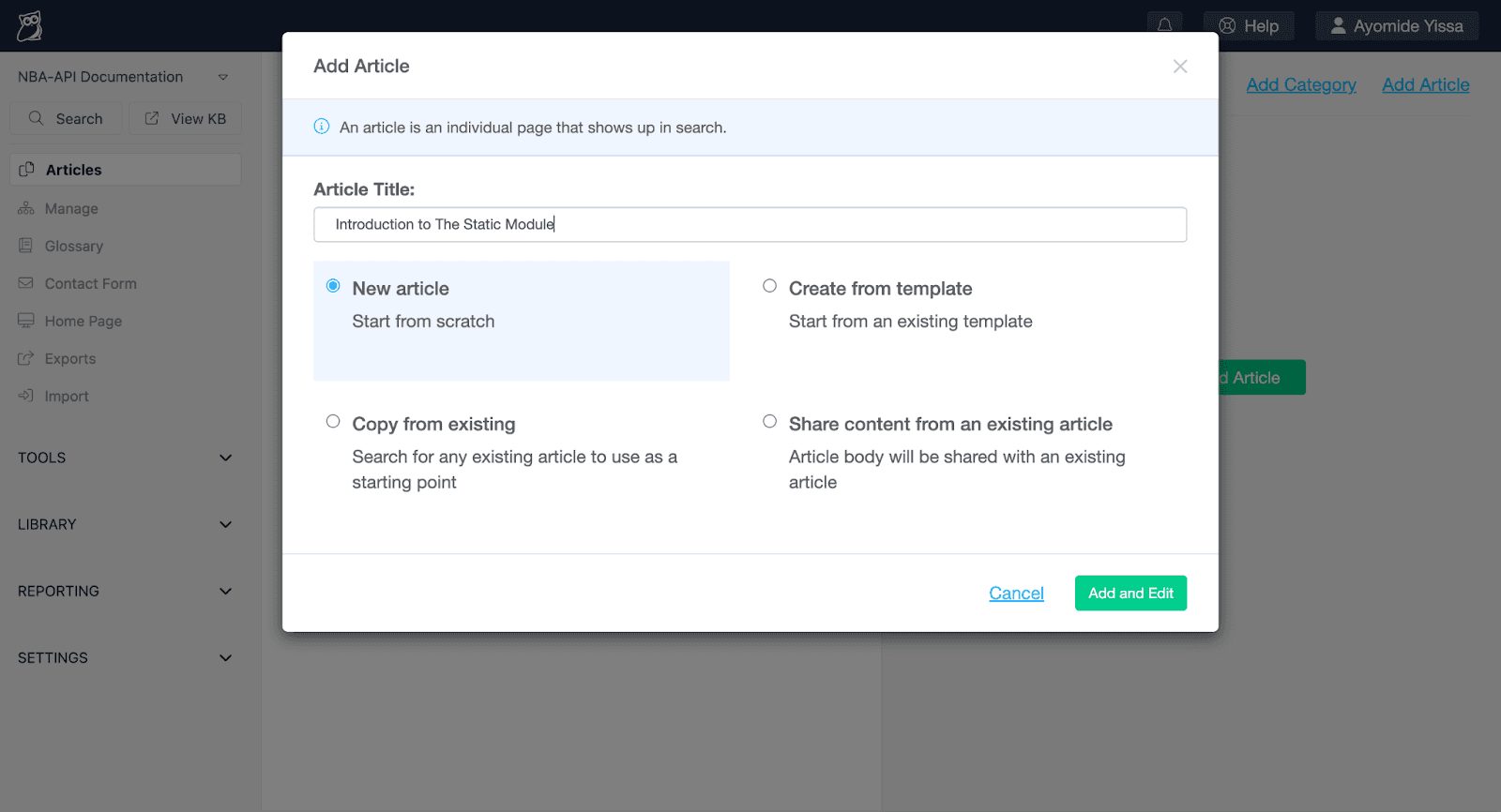
This triggered the "Add Article" pop-up window to open (shown below), where I typed the article title, clicked the "Add and Edit" button, and copied the content of that page from the old knowledge base into KnowledgeOwl.
After migrating the first article from the old knowledge base into KnowledgeOwl, I returned to "The Static Module" category and created the remaining subcategories and articles within it.
Linus Says: KnowledgeOwl has an Autosave feature that can recover your work in case you forget to save before navigating away from editing an article. If there's an available autosave for an article, you'll see a "Recover autosave" link above the article editor.
"Endpoints" category
The "Endpoints" category contains information about the vast functionality of the NBA-API.
Here is the structure of this category:
Article: Introduction to the Endpoints Section
Subcategory: All Time Statistics
Article: AllTimeLeadersGrids
Article: AssistLeaders
Subcategory: Common Player Statistics
Article: CommonPlayerInfo
Subcategory: Draft Statistics
Article: DraftHistory
Subcategory: Franchise Statistics
Article: FranchiseLeaders
Subcategory: Player Statistics
Article: PlayerAwards
Article: PlayerCareerStats
Subcategory: Team Statistics
Article: TeamInfo
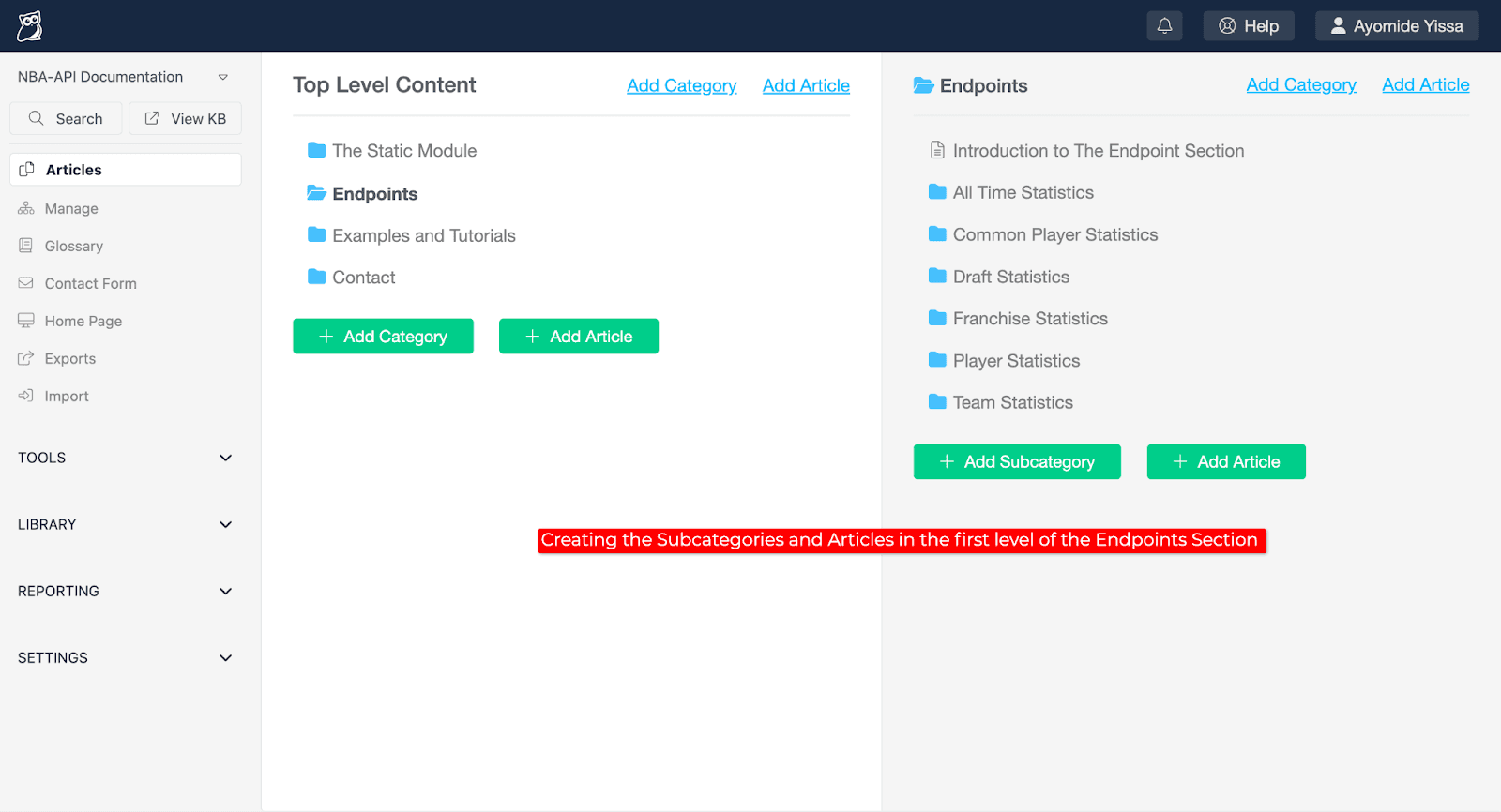
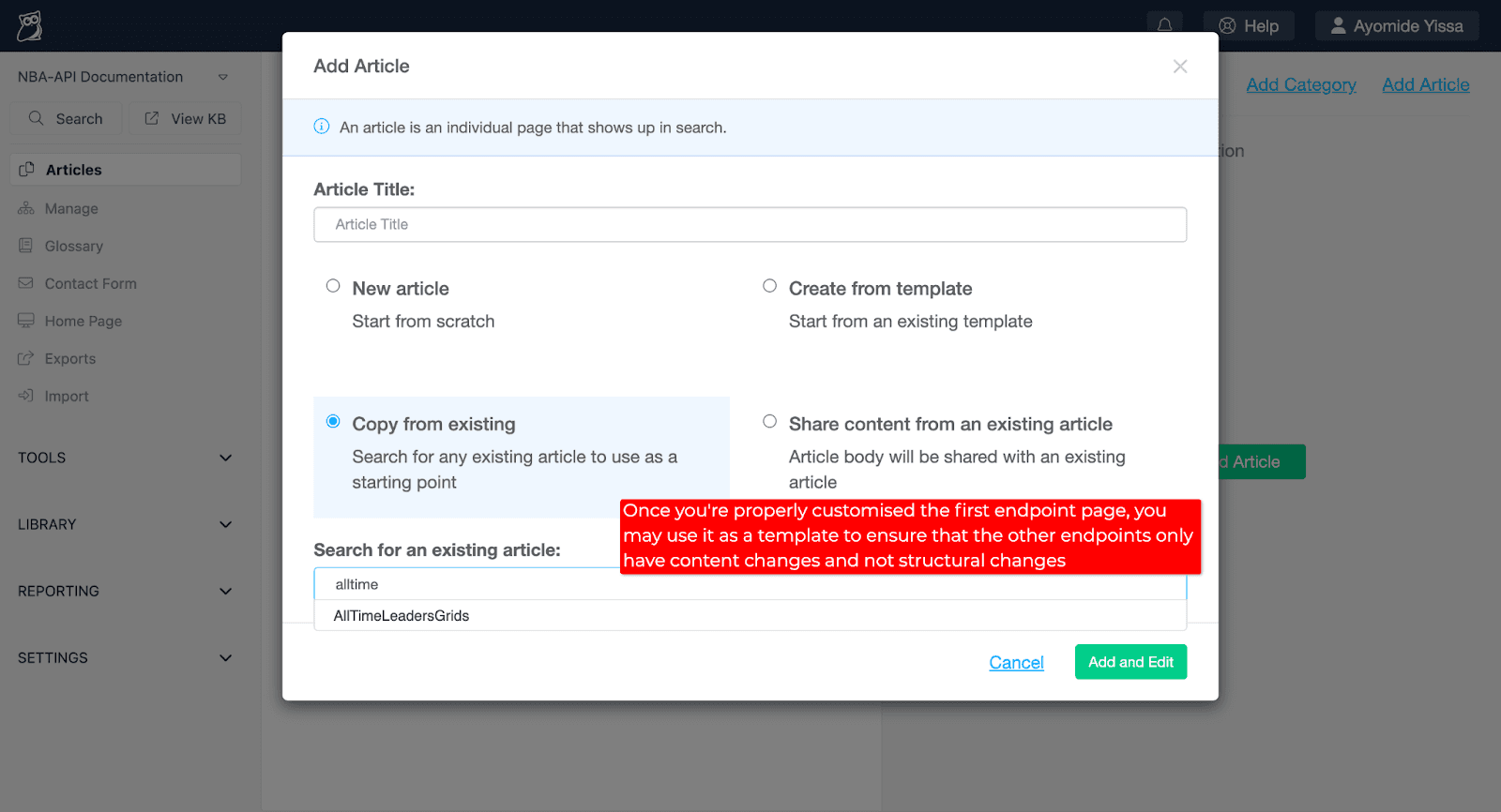
Because this section contains a large amount of content, using the "Copy from existing" option when creating articles was easier than creating every single article from scratch.
I started by creating the first article in the "All Time Statistics" subcategory from scratch to serve as a template for the other articles.
To use a previous article as a template for a new article, select the "Copy from existing" option in the "Add Article" pop-up window, select the article that you'd like to use as a template, and then click the "Add and Edit" button.
This will create an exact copy of the article that you selected, which you can use as a starting point for similar articles.
I used the "Copy from existing" functionality to quickly complete the rest of the articles in the "Endpoints" category.
"Examples and Tutorials" category
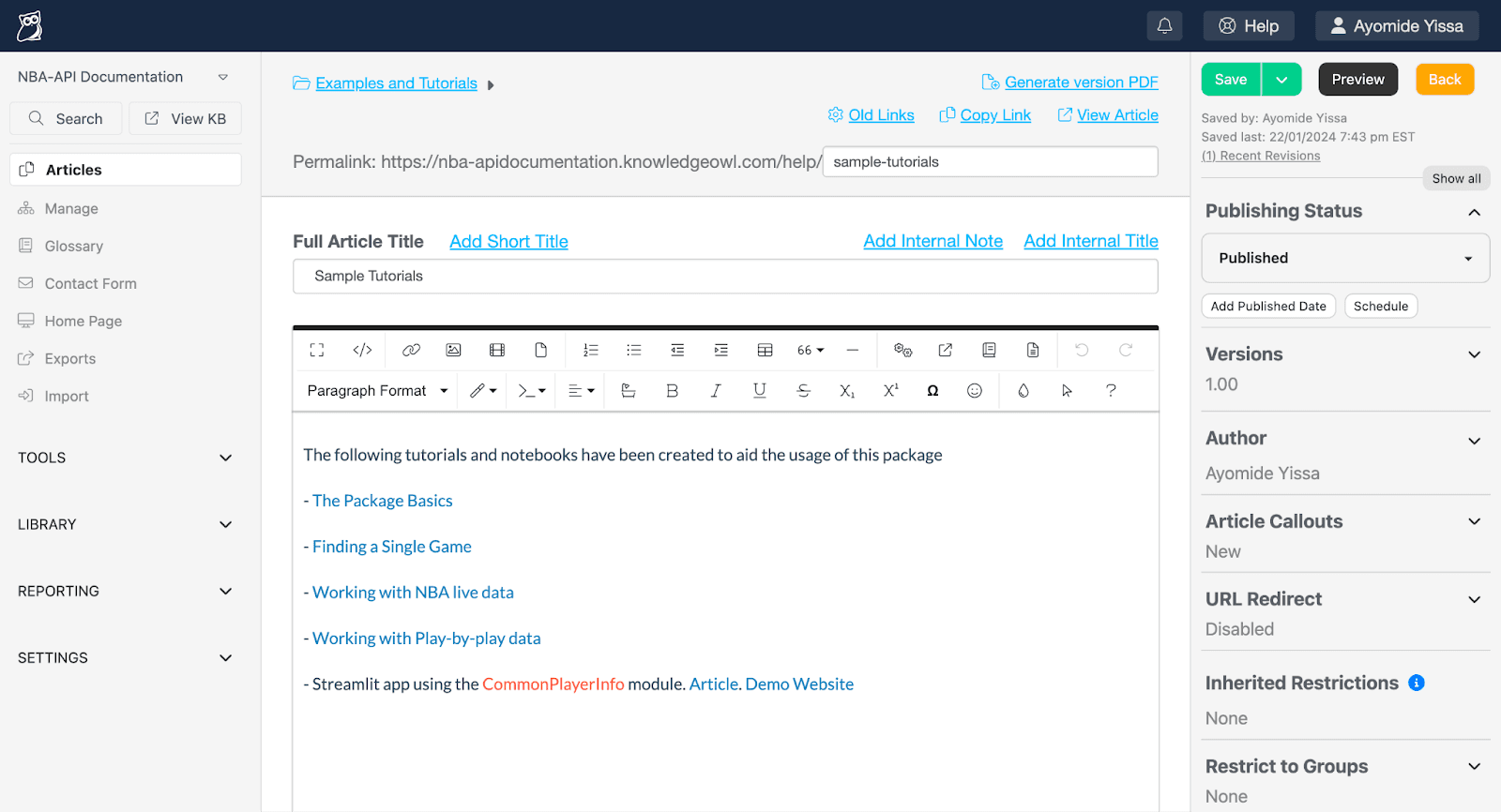
The "Examples and Tutorials" category contains a single article ("Sample Tutorials") with the following links to help users properly use the NBA-API Package:
The Package Basics
Finding a Single Game
Working with NBA live data
Working with Play-by-play data
Streamlit app using the CommonPlayerInfo module
"Contact" category
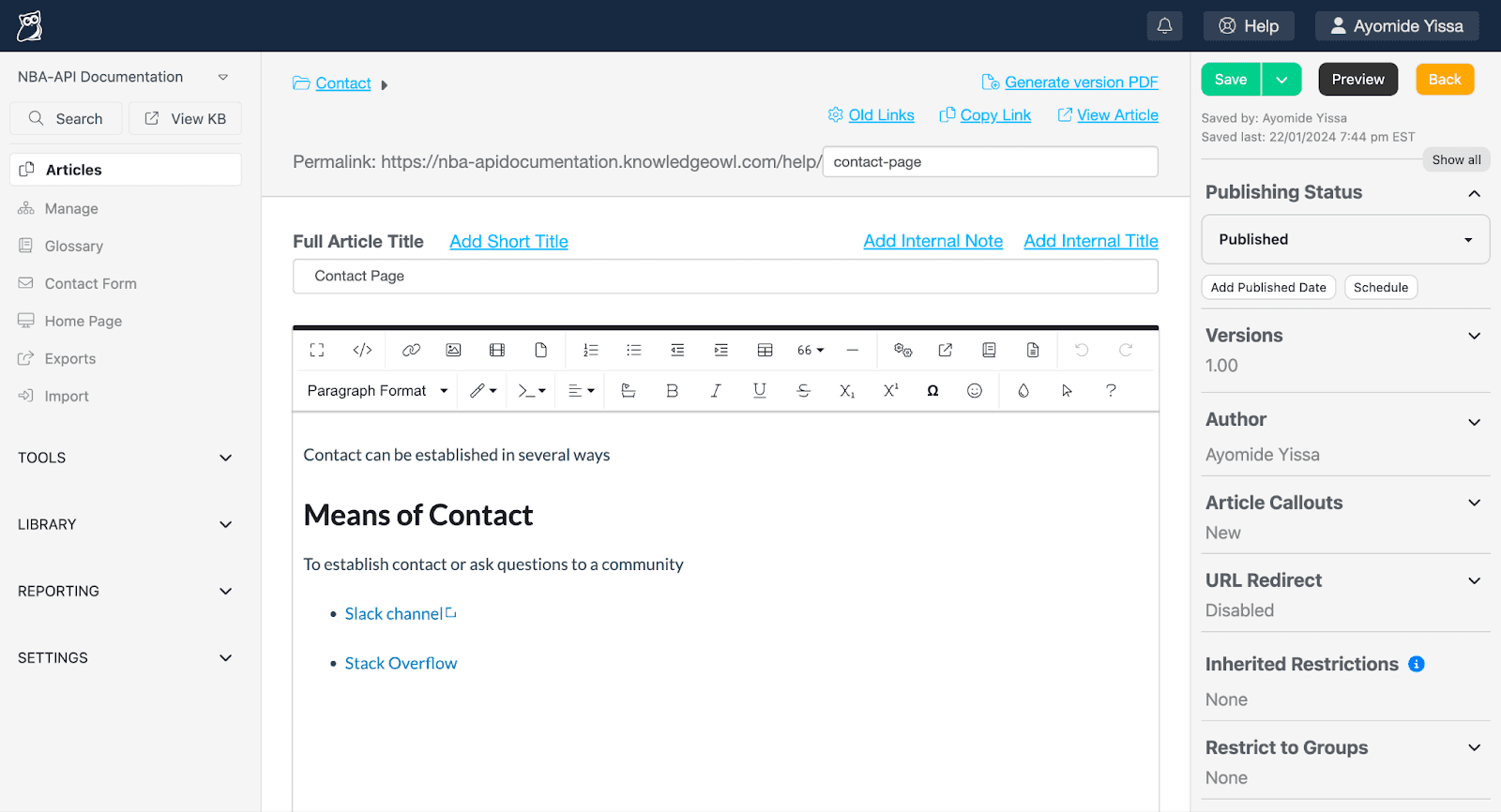
The "Contact" category also contains a single article ("Contact Page") that includes links to places where NBA-API Package users can connect with each other (i.e. a Slack channel and Stack Overflow).
Note: The "Contact Page" article differs from the built-in "Contact Us" page in the knowledge base because the creators of the NBA-API Package and the knowledge base are not the same people.
That concludes an overview of transferring the entirety of the NBA-API Package documentation to its new home in KnowledgeOwl! 🦉
Bulk publishing articles
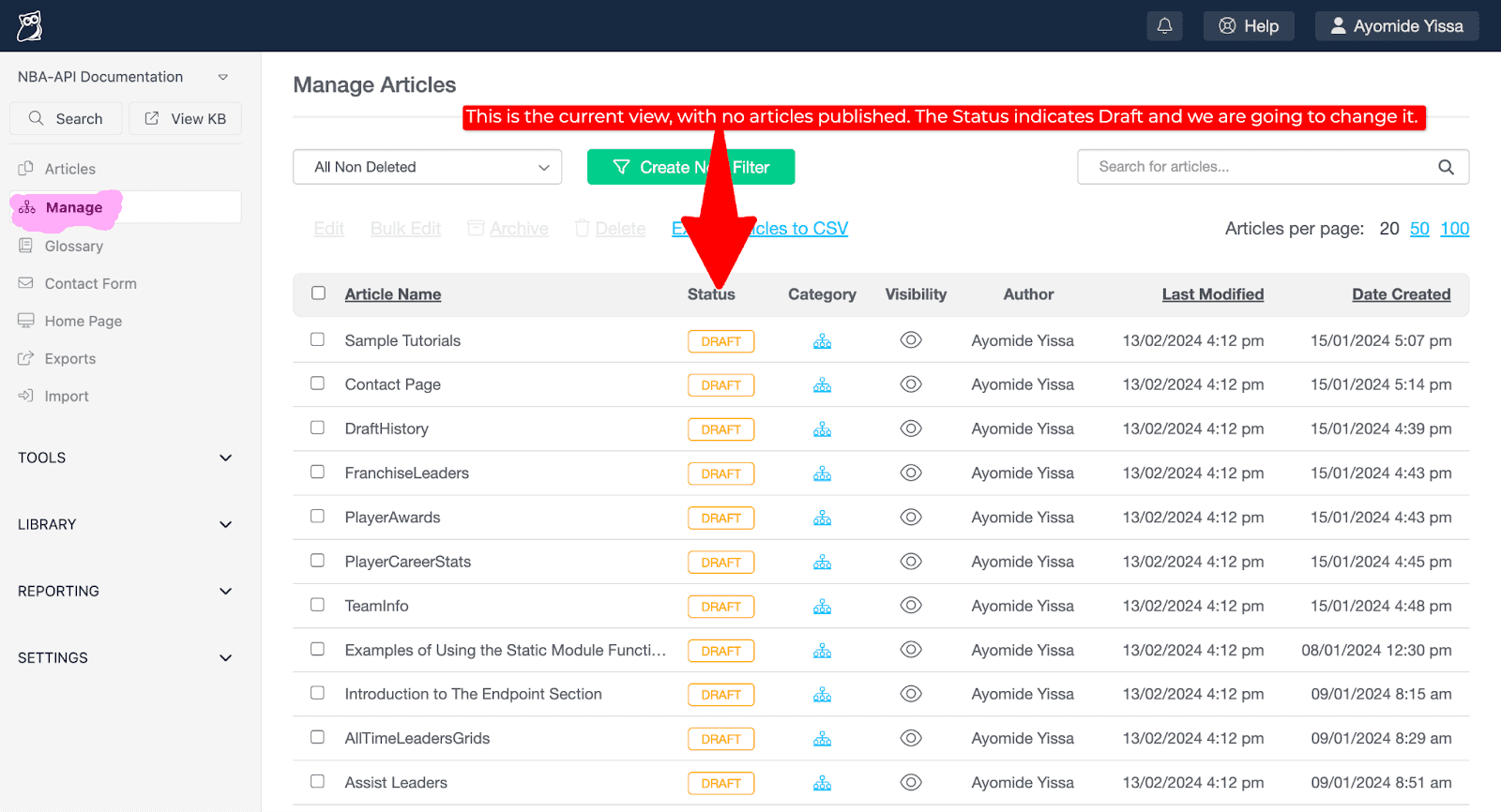
After migrating all of the NBA-API Package documentation to KnowledgeOwl, the next step was to publish all of the articles to make them publicly visible.
In KnowledgeOwl, new articles are set to “Draft” by default to prevent them from going live as soon as they are saved. Since it's likely that multiple revisions will be made to articles during the preparation/migration phase, it's generally not recommended to publish articles immediately after they are created.
To make a single article live, all you have to do is change the "Publishing Status" from "Draft" to "Published".
However, since I had many articles in "Draft" status that I wanted to publish, I went with the more efficient bulk publishing option.
Here are the steps to bulk publish articles:
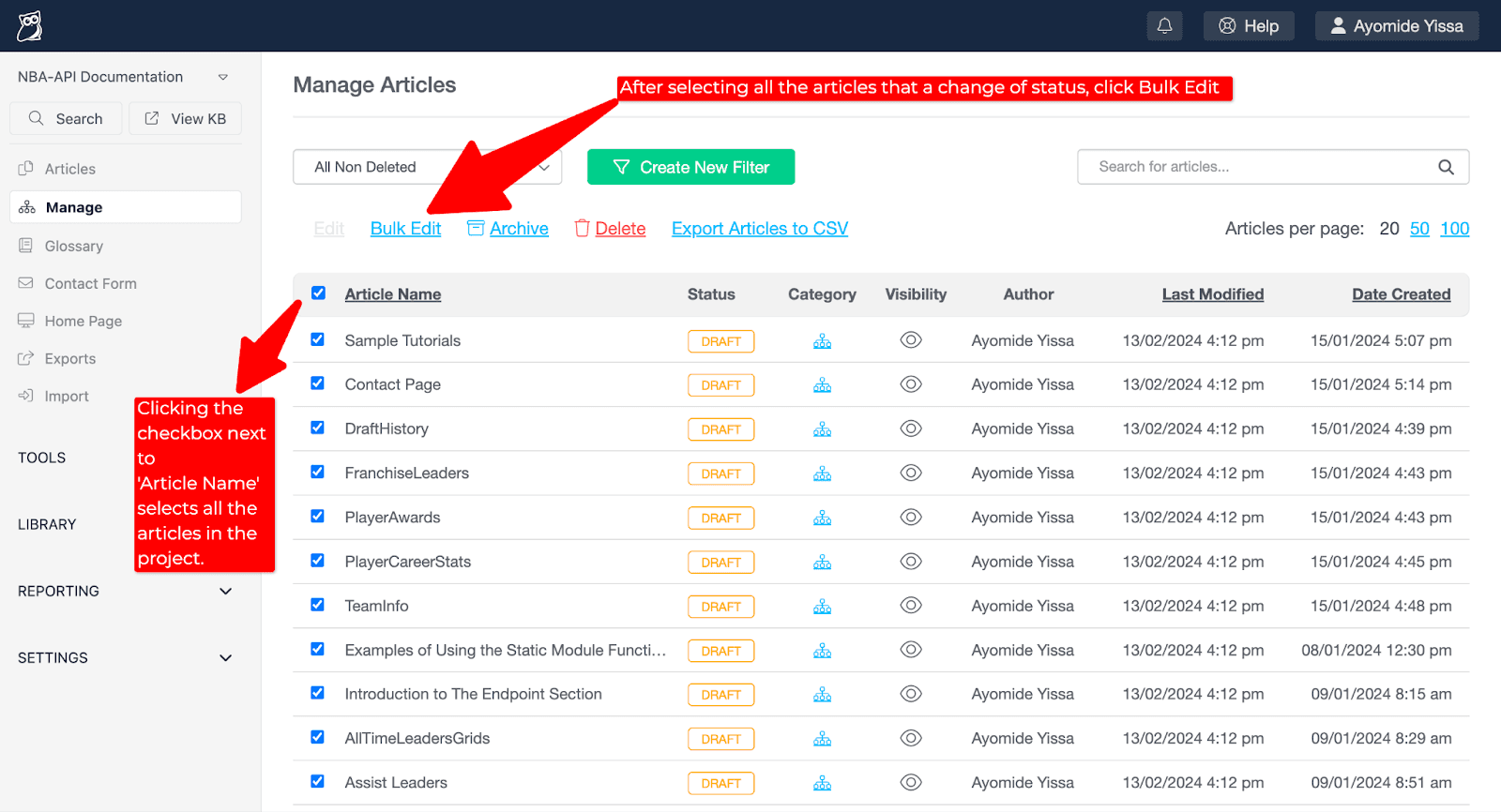
In KnowledgeOwl, click "Manage" in the lefthand navigation bar.
Click on the checkbox at the top (to the left of "Article Name") to select all of the articles.
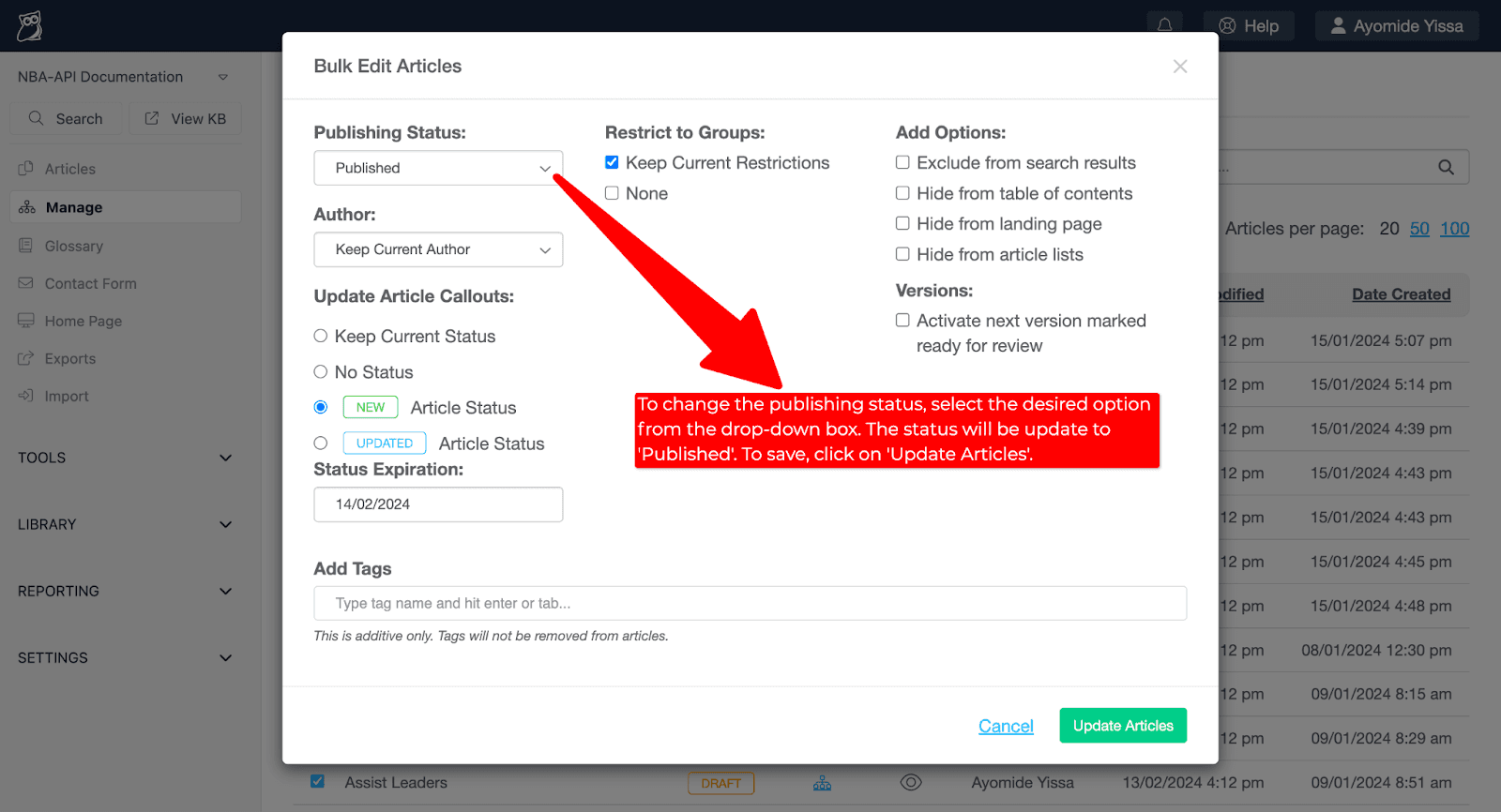
Click "Bulk Edit" to open the "Bulk Edit Articles" pop-up window.
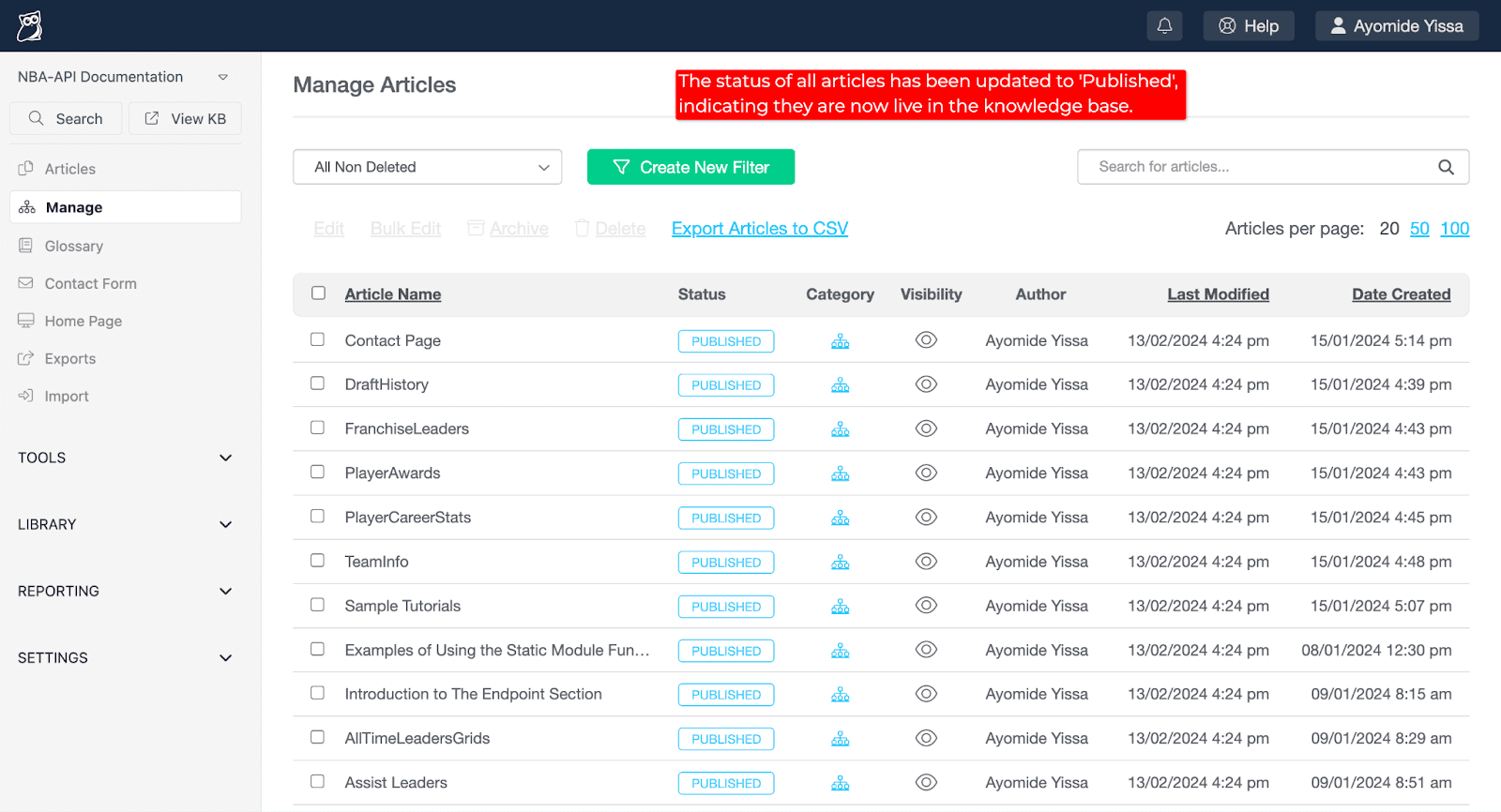
To make all of the articles live, select "Published" in the "Publishing Status" drop-down menu and then click the "Update Articles" button.
Fine-tuning the knowledge base
This section shares a few things you can do to fine-tune your knowledge base to ensure that it is as polished and helpful as possible.
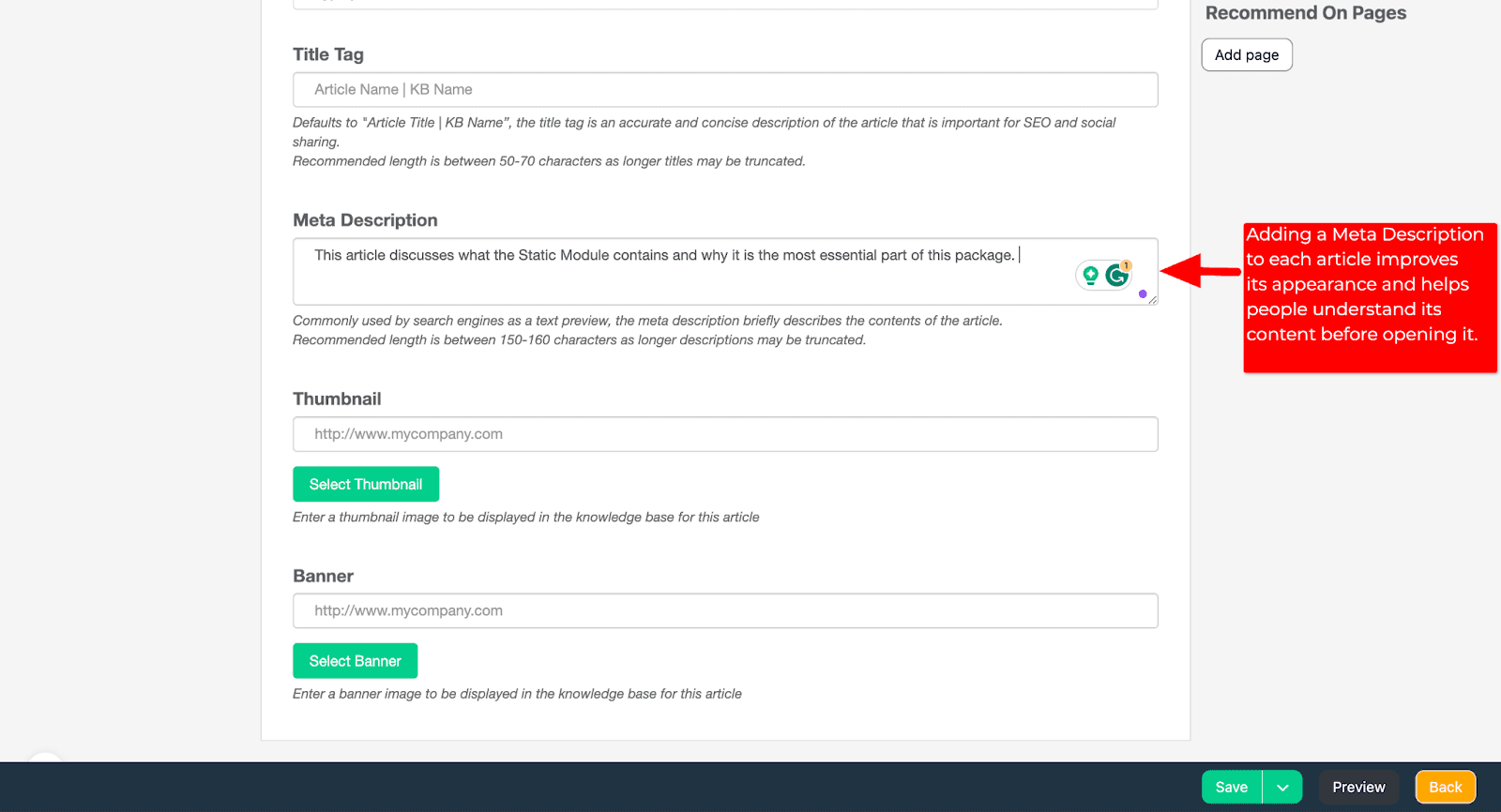
Add Meta Descriptions to articles
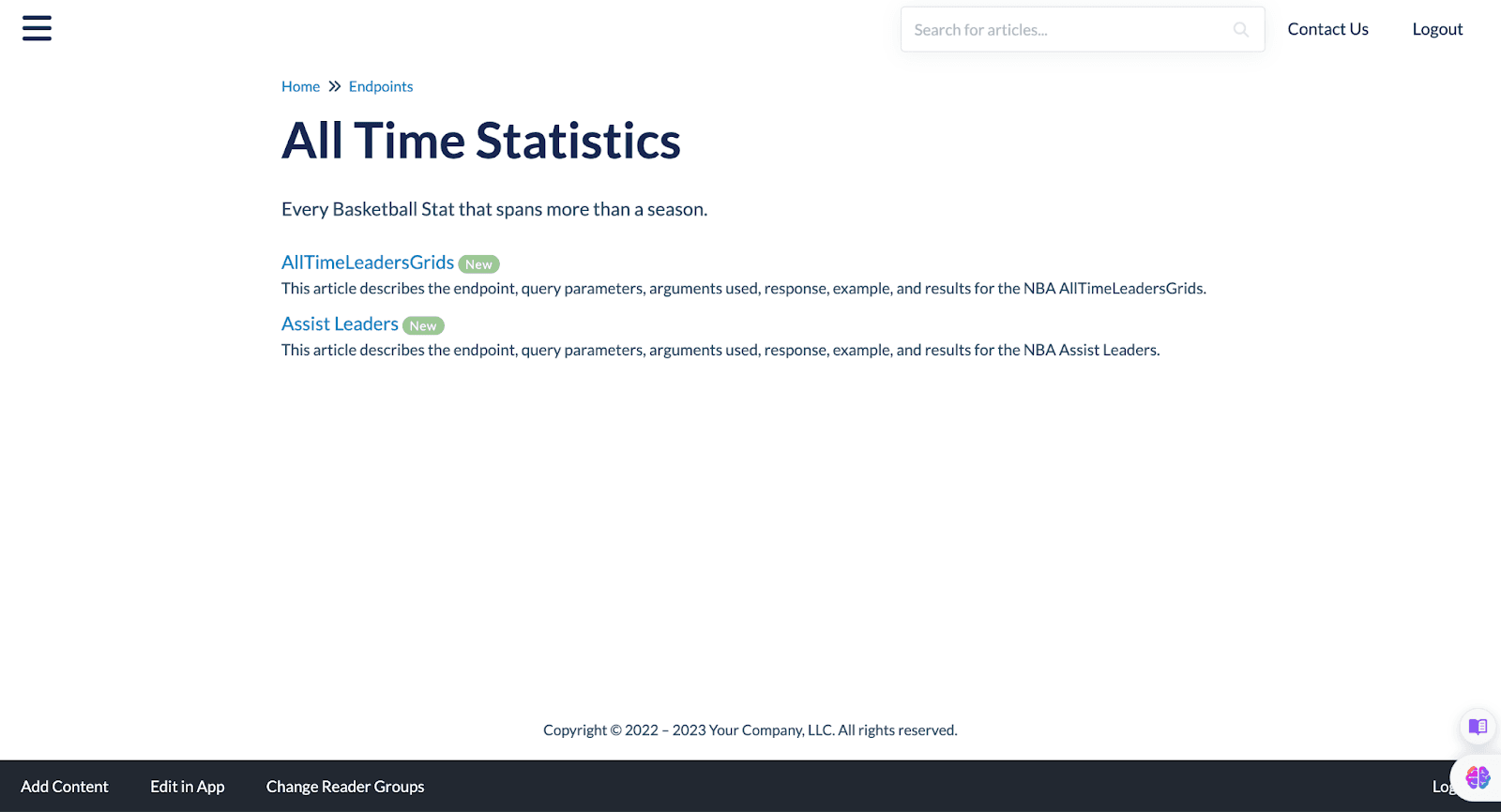
When I initially created the articles in my knowledge base, I didn't add Meta Descriptions to them. As a result, the default descriptions (i.e. preview text) under each article title in the knowledge base was automatically generated from some of the text at the beginning of each article.
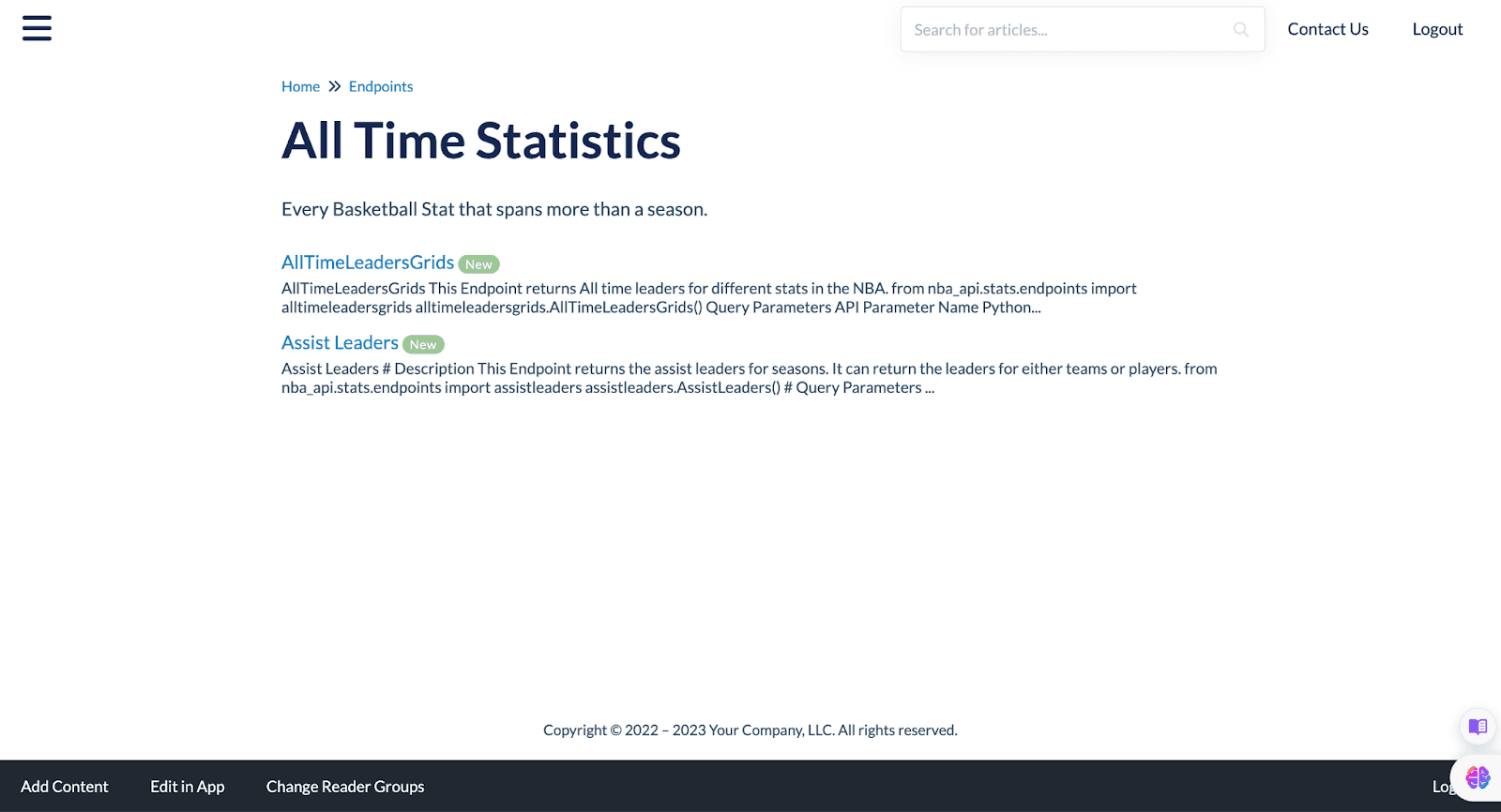
This is fine, but adding a clear and succinct Meta Description to each article can help to clean up how articles + their preview text look in a knowledge base.
Adding Meta Descriptions to articles can also make it easier for KB readers to grasp the content of a given article without having to open it.
User testing
Before publicly launching a new knowledge base, it is important to gather user input. To do this, you can invite a subset of your users to be beta testers. Essentially, this means that they would comprehensively explore the KB to test its readability and share any constructive feedback and/or issues they encounter.
I invited some people to test my new NBA-API knowledge base, and they reported that it had a better user interface as well as better search functionality.
Some beta testers discovered that a few tables were formatted incorrectly, which gave me a chance to fix them before fully launching the KB.
Users are the most important aspect of any project; it is critical to listen and respond to their feedback!
Final review
Doing a final review of your knowledge base before publicly releasing it can help you notice and implement additional opportunities to improve it.
I reviewed every article in my KB and looked for and corrected minor issues such as broken links and inconsistent formatting.
After my final review, I released my new NBA-API Documentation KB to the general public! 🎉
Summary
This article went over the process of migrating documentation from an existing knowledge base to KnowledgeOwl.
Following along each step of the process can help anyone who is going through their own KB migration process.
The third and final article in this series will go over how to maximize the utility of your knowledge base. I look forward to completing this journey with you!

Written by
Ayomide Yissa
Ayomide Yissa is a technical writer who specializes in clearly and concisely communicating complex concepts. Throughout his career, he’s honed his skills in producing excellent product documentation, developer guides, API docs, and web content for niche companies across multiple industries. Notably, he’s documented APIs for sports and fintech products and set up documentation workflows for product teams. He’s also contributed to open-source projects by improving the usability and readability of open-source technical documentation.

Follow these 3 steps to improve your knowledge base
1
Get expert tips every month in your inbox
No spam, pinky promise.


2
Try the knowledge base software your team will fall in love with
Reduce tickets, make information easy to find.
Happier employees, happier customers.

3
Become the tech writer everyone respects
Check out our podcast, The Not-Boring Tech Writer.

How teams are using KnowledgeOwl
Loved by 3,200+ knowledge base authors in software companies around the world


























