
All articles
Why you should include workarounds in your software documentation
Learn the benefits of including workarounds in your software documentation.
Published
Category
Why you should include workarounds in your software documentation
bri hillmer | October 11, 2016
Are you considering whether you should include workarounds in your software document? Well, I'm here to tell you to stop contemplating and start documenting!
What Is A Workaround?
What do I mean by "workaround." A workaround is a method for overcoming a problem or limitation in a program or system.
In the context of software, a workaround typically involves
using built-in features in a way they were not designed to be used.
And/Or
using supplemental code (CSS, JavaScript, etc.) to achieve a desired result.
The Benefits Of Including Workarounds In Your Software Documentation
As the title of this post suggests, I believe in documenting workarounds.There are a number of benefits of doing so.
1. Workarounds Tell Users That You Are Listening
More than any document about core functionality, workarounds allow you to connect with the user and make them feel heard. In workaround documents, you can plainly identify the limitation, acknowledge why this is frustrating, and, finally, be a hero! These are all things that create loyal documentation users and customers!
2. Workarounds Bring Customers Back To Your Knowledge Base
All users (novice or experienced, tech-savvy or not) will need to search documentation or contact support if they run into a limitation of the software. This presents a tremendous opportunity to win regular documentation users.
3. Documented Workarounds Reduce Support
If workarounds are not documented, all users that wish to overcome a limitation of your software (perceived or real) will need to contact support.
Now, not all support teams are in the business of giving workarounds (see more on this in point 5). However, if your support team assists customers with workarounds then you must document them to reduce the need for support.
Further, documented workarounds make it much more efficient for support heroes to help customers with workarounds. They can share the document to get them started and then just make themselves available for questions.
4. They Drive Development
Traffic to workaround articles provides your development team with valuable data on potential future improvements. A popular workaround will be a popular feature. In this way, you and your customers can help to prioritize what your development team builds next!
5. It's great service!
Tips For Documenting Workarounds
Documenting workarounds can be a scary endeavor if you're used to documenting only built-in software features. Below are some tips to that I've learned along the way.
Develop a Process for Learning What Limitations Customers Are Running Into
When I started coordinating documentation at SurveyGizmo, I knew that a big gap existed between the help our documentation provided compared with our support. The creative and customized solutions that our support heroes could provide did not exist in our documentation. Workarounds accounted for much of this gap.
In some cases, these workarounds were being documented in an internal knowledge base that the support team called "Confessions." This is where I started. I took these workarounds, tested them for stability and then wrote it up in a customer-friendly way.
I soon realized that Confessions were only a fraction of the creative solutions that our support team had helped customers achieve. So I developed a process by which support heroes could loop me on a ticket with a customer and request that I document the workaround. Learn more about this process in my previous post.
Test The Workaround
The first step when documenting a workaround is to ensure that the workaround is reliable. Do some testing. Make sure that the workaround works. Anticipate issues and things that could go wrong and make sure these are accounted for. If there are too many loose ends, it might be best not to document it.
Describe The Limitation and the Workaround's Result
Begin by describing the limitation. It's also helpful to describe what the end goal of the workaround is. It should be very clear to the reader that the document is 1) a workaround, 2) addresses a specific limitation, and 3) what the result will look like. The last thing you want is for a novice user to find a workaround, not understand it as such and conclude that everything in your application is as difficult to achieve.
Be Positive
When discussing the limitation be careful to remain positive. Commiseration is fine, but there's a fine line between commiserating with a customer about a limitation and bad-mouthing the software.
In my workaround documents, I plainly state the limitation. I love to follow this up with "Never fear!" and then discuss how the tutorial will help to overcome the limitation

Include a Disclaimer
Workarounds are, by definition, a temporary solution. And because our QA team does not test for this functionality, workarounds do not come with the guarantee of stability like a built-in feature does.
I have a general disclaimer that acknowledges that the documented steps are a workaround. This manages customers' expectations before they implement a workaround.
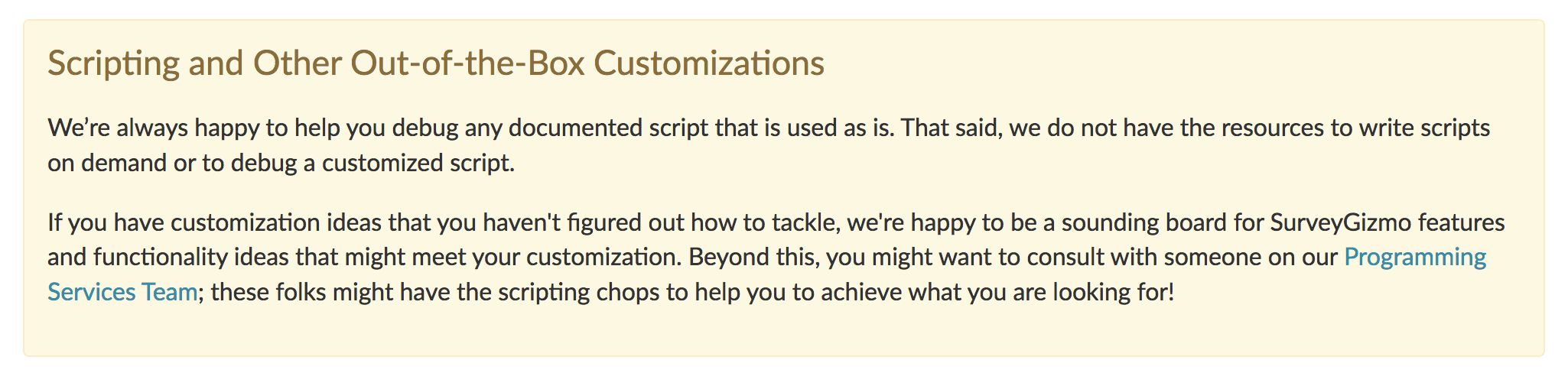
If the document covers JavaScript, CSS, or another programming language, I have a more specific disclaimer that addresses the common misperception that our support team has the resources to write customized solutions on demand.
Invite Feedback
Finally, invite readers to contribute. Often the users that are willing to tackle a workaround have the skills to take it to the next level. Ask users to send feedback on what worked for them!

{{snippet.BriHillmer}}
{{snippet.Disqus}}

Written by
Bri Hillmer
Bri is a Senior Staff Technical Writer at Splunk. An Ohioan at heart, Bri now lives in Colorado where she spends her time reading, hiking, and spending time with her dogs.
Find her on LinkedIn.

Follow these 3 steps to improve your knowledge base
1
Get expert tips every month in your inbox
No spam, pinky promise.


2
Try the knowledge base software your team will fall in love with
Reduce tickets, make information easy to find.
Happier employees, happier customers.

3
Become the tech writer everyone respects
Check out our podcast, The Not-Boring Tech Writer.

How teams are using KnowledgeOwl
Loved by 3,200+ knowledge base authors in software companies around the world


























